
Once upon a time, virtual meetings were little more than pixelated faces, awkward silences, and the eternal question: “Can you hear me now?” But in 2025, AI has elevated them into something far more dynamic. They are now spaces where collaboration happens seamlessly and ideas flow without friction.
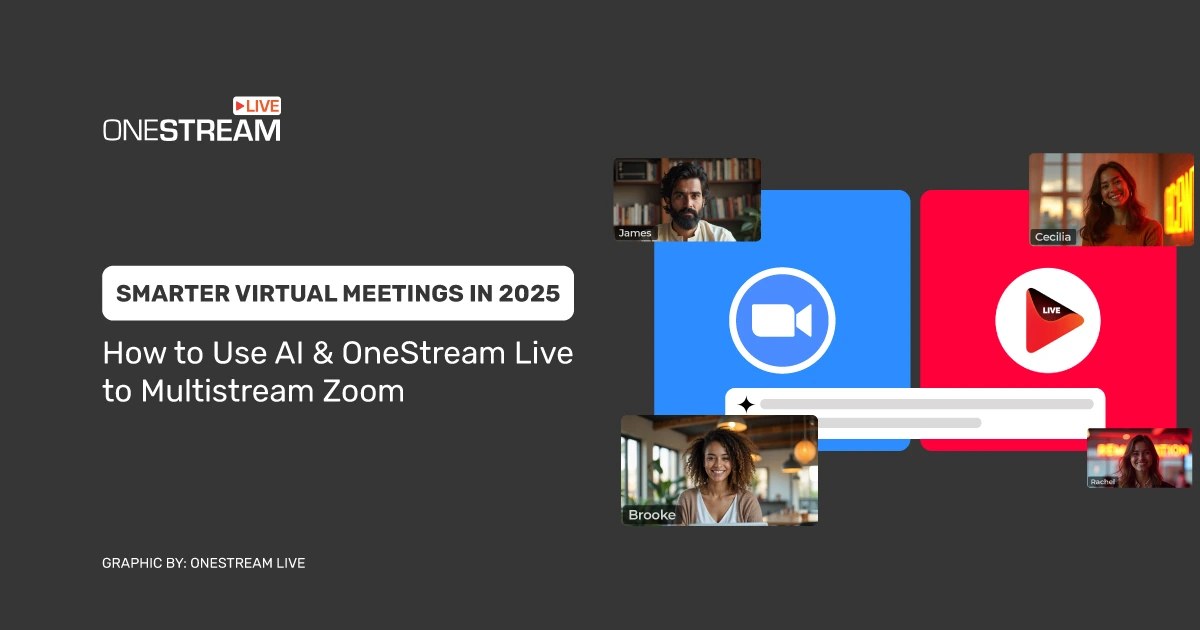
From AI meeting assistants to platforms like OneStream Live, which let you multistream Zoom sessions across multiple platforms, we’re witnessing a reinvention of online collaboration. This guide explores how AI is changing everything from real-time transcription to multilingual accessibility. Let’s start!
Smarter Virtual Meetings: The Shift That Changed Everything
Once upon a Zoom call, virtual meetings were the equivalent of a beige waiting room—awkward, inefficient, and exhausting. Then artificial intelligence came along, flipped the switch, and turned those static screens into real-time collaboration.
Today’s virtual meetings curate the entire experience. AI listens, transcribes, translates, and even reminds you of action items before you’ve hit “Leave Meeting.”
For creators, entrepreneurs, and teams scattered across continents, this is no longer about just meeting. It’s about creating spaces where ideas can flow without friction, where data is turned into decisions, and where the human element is finally supported—not buried—in technology.
Platforms like Zoom, Google Meet, and Microsoft Teams are leading this charge, embedding AI to help global participants collaborate as if they’re in the same room. Add OneStream Live into the mix, and the game changes again: now you can multistream these AI-enhanced sessions across multiple platforms simultaneously, engaging audiences beyond the meeting room.
Key Improvements AI Brings to Virtual Meetings
Forget the days of fumbling for the “unmute” button or losing track of who said what. AI has injected a level of intelligence into virtual meetings that makes them less like chores and more like high-functioning creative labs.
1. Real-Time Transcription
No more frantic note-taking while trying to sound engaged. AI now acts as your personal stenographer, delivering real-time transcription with near-perfect accuracy.
Pro Tip: If you’re hosting webinars or multistreaming Zoom calls to platforms like YouTube or Facebook with OneStream Live, AI-powered transcriptions ensure you’re capturing every comment and question for replay and repurposing.
Read Blog: Multistream your Zoom Meetings & Webinars for Wider Outreach
For those seeking specialized tools, an AI note-taker for Zoom like MinutesLink makes it effortless to capture meeting highlights, action points, and even share polished summaries with attendees minutes after the call ends.
2. Actionable Summaries and Insights
Meetings often generate a wealth of valuable information, but distilling action items and key takeaways can be tedious. AI tools now summarize meetings in seconds, highlighting the most important decisions and next steps. For instance, AI assistants can automatically generate summaries and action items based on meeting discussions, saving hours of manual effort.
This feature also promotes accountability, as deliverables and follow-ups are clearly assigned and tracked. Teams no longer need to spend time clarifying or revisiting decisions, allowing them to progress confidently.
3. Breaking Language Barriers
AI-driven translation has eliminated language barriers in global teams. With over 100 languages supported by many AI tools, participants can communicate easily, irrespective of their native language.
For instance, AI-powered platforms can translate speech or text in real time, ensuring inclusive and seamless collaboration across regions. This multilingual capability enables businesses to scale operations globally, connect with clients across borders, and maintain a cohesive, diverse workforce.
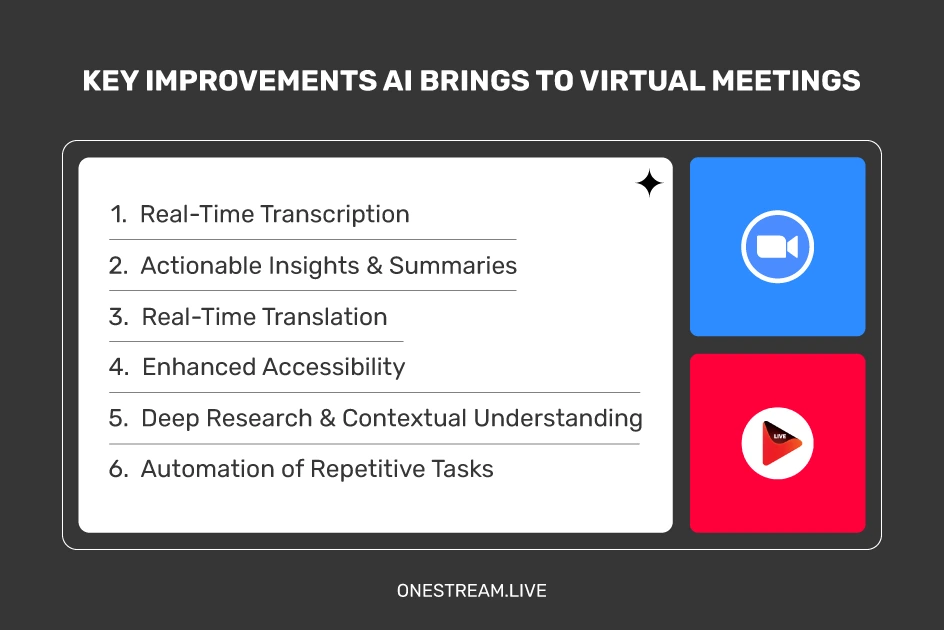
4. Enhanced Accessibility
AI-powered captions and voice recognition technologies have made virtual meetings accessible to individuals with hearing impairments or language challenges. Features like live captions ensure inclusivity for all participants, fostering equal opportunities for collaboration.
For example, platforms like Google Meet use AI to create real-time captions that display the spoken words on-screen, assisting participants who rely on visual aids.
5. Deep Research and Contextual Understanding
AI goes beyond note-taking by offering contextual understanding of past meetings. Deep research features allow users to query past discussions for specific information, quotes, or decisions.
This capability eliminates the hassle of combing through hours of recordings, enabling faster preparation for future meetings or reports. By compiling data-driven insights from meeting transcripts, AI assists teams in making informed business decisions quickly and efficiently.
6. Automation of Repetitive Tasks
AI reduces the cognitive load for users by automating time-consuming tasks such as scheduling, sending reminders, and preparing agendas. Virtual assistants integrated into platforms can schedule meetings based on participants’ availability, send follow-ups, and keep meetings on track.
Administrative professionals and project managers, in particular, benefit significantly from this automation, as it allows them to focus their time and energy on strategic responsibilities.
The AI Tools Leading the Revolution
Every once in a while, a piece of tech slides quietly into our lives and changes everything—without demanding a parade. That’s what’s happening in the world of virtual meetings.
MinutesLink
MinutesLink is an AI-powered meeting assistant tool offering transcription, meeting summaries, and multilingual support for virtual meetings. By automating note-taking, it allows users to focus on discussions.
With its straightforward interface, it’s a useful tool for remote teams, legal professionals, and educators looking to simplify meeting management.
Other AI-Driven Platforms
- Otter.ai: Recognized for delivering real-time transcription and collaborative note-taking features.
- Krisp.ai: Focused on eliminating background noise to improve audio clarity during virtual discussions.
- Fireflies.ai: Great for generating automatic meeting summaries and task management.
These tools highlight the growing influence of AI-powered solutions in transforming meeting inefficiencies into opportunities for teamwork and productivity.
The Benefits of AI-Enhanced Virtual Meetings
- Time Savings:
AI automates time-intensive tasks, allowing participants to focus on decisions rather than logistics. Research highlighted in Forbes shows that replacing traditional meetings with virtual, AI-enhanced ones can actually increase employee productivity and reduce procrastination.
These findings underscore how AI is not just improving the format of meetings — it’s actively contributing to better work outcomes and employee satisfaction. - Improved Collaboration:
Features like multilingual support, actionable summaries, and real-time insights ensure every participant is aligned and contributing, regardless of location or time zone. - Enhanced Productivity:
By minimizing distractions and streamlining communication, AI-driven meetings help teams work more effectively and stay on track with deadlines. - Data-Driven Decision:
AI simplifies data analysis from meetings, providing actionable insights to guide strategic decisions without requiring significant manual effort. - Inclusivity and Accessibility:
AI ensures that all participants, regardless of their language or accessibility needs, can fully engage in discussions, supporting diverse teams and audiences.
Pro Tip: Use OneStream Live Studio for your virtual meetings and live events. With interactive chat and guest invites, it’s more than a streaming tool—it’s your virtual boardroom.

The Future of Virtual Meetings Is Already Here
We used to think virtual meetings were a compromise: glitchy screens, endless “Can you hear me?” moments, and hours we’d never get back. But AI has rewritten that story.
Now, meetings don’t just happen—they flow. Notes are taken before you can lose your thought. Translations happen in real time. And with platforms like OneStream Live, you can bring these moments to every audience, everywhere.
This isn’t just about technology. It’s about reclaiming focus, building connection, and turning a routine calendar invite into a chance to create.
Because in the end, the smartest meetings aren’t the ones that use the most AI—they’re the ones where people leave inspired to act.

OneStream Live is a cloud-based live streaming solution to create, schedule, and multistream professional-looking live streams across 45+ social media platforms and the web simultaneously. For content-related queries and feedback, write to us at [email protected]. You’re also welcome to Write for Us!