You don’t think about hard drive failure until it happens—and when it does, it feels like a sucker punch to the gut. One moment you’re editing your latest livestream, meticulously stitching overlays and transitions, and the next, your entire archive vanishes into the digital abyss.
For content creators and live streamers juggling massive video files, audio tracks, and branding assets, losing a drive isn’t an inconvenience; it’s a full-blown creative crisis. We romanticize our cameras, obsess over mics, and pour hours into finding the perfect streaming setup, yet the humble hard drive gets overlooked.
That is, until the read/write heads start clicking ominously, files refuse to open, or your system can’t even recognize the device. This guide unpacks what causes hard drives to fail, the subtle danger signs you shouldn’t ignore, and how to safeguard your workflow before it collapses.
The Unsung Hero of Your Streaming Setup
When hard drive failure strikes, it isn’t just an inconvenience; it’s the kind of disaster that can derail an entire workflow, obliterate months of footage, and bring creative momentum to a screeching halt.
Your hard drive is literally the keeper of your creative soul. It holds your live streams, your podcast drafts, your OBS settings, and that 4K footage you haven’t edited yet.
It doesn’t matter if it’s a classic HDD or a sleek SSD—both can betray you in unexpected ways. While HDDs offer affordability and massive storage, they’re particularly susceptible to mechanical wear, frequent read/write cycles, and the creeping inevitability of age. And let’s not forget external hard drive failure; one sudden jolt on your desk can mean the difference between “project saved” and “project lost.”
So, what causes hard drive failure? Sometimes it’s the insidious grind of daily use: spinning platters wearing thin, or a read/write head misaligning just enough to corrupt your files. Other times it’s a single catastrophic moment—an unexpected power surge or a firmware hiccup that scrambles your data.
For creators working with massive video files and intricate production workflows, the stakes are even higher. One corrupted drive is potentially a hit to your brand, your deadlines, and your revenue stream.
What’s Actually Behind a Hard Drive Failure?
Every hard drive has a lifespan—though it rarely announces its exit with flashing lights or sirens. Instead, hard drive failure creeps in quietly, leaving creators and streamers blindsided. Broadly, there are two kinds of failures: mechanical and logical.
Mechanical failures are physical breakdowns in the drive itself. It’s like spinning platters gone rogue, read/write heads scraping instead of gliding, or motors that simply seize up.
Logical failures, on the other hand, are data-level meltdowns. Your system powers up, but files are corrupted, partitions disappear, or the OS can’t recognize the drive. Both are catastrophic, but the warning signs often whisper before they scream.
Signs of a Hard Drive Failure
Strange clicking or grinding noises: Known in the tech world as the “click of death,” these sounds suggest mechanical components are struggling.
Frequent crashes or freezes: Especially when accessing large files or during boot-up.
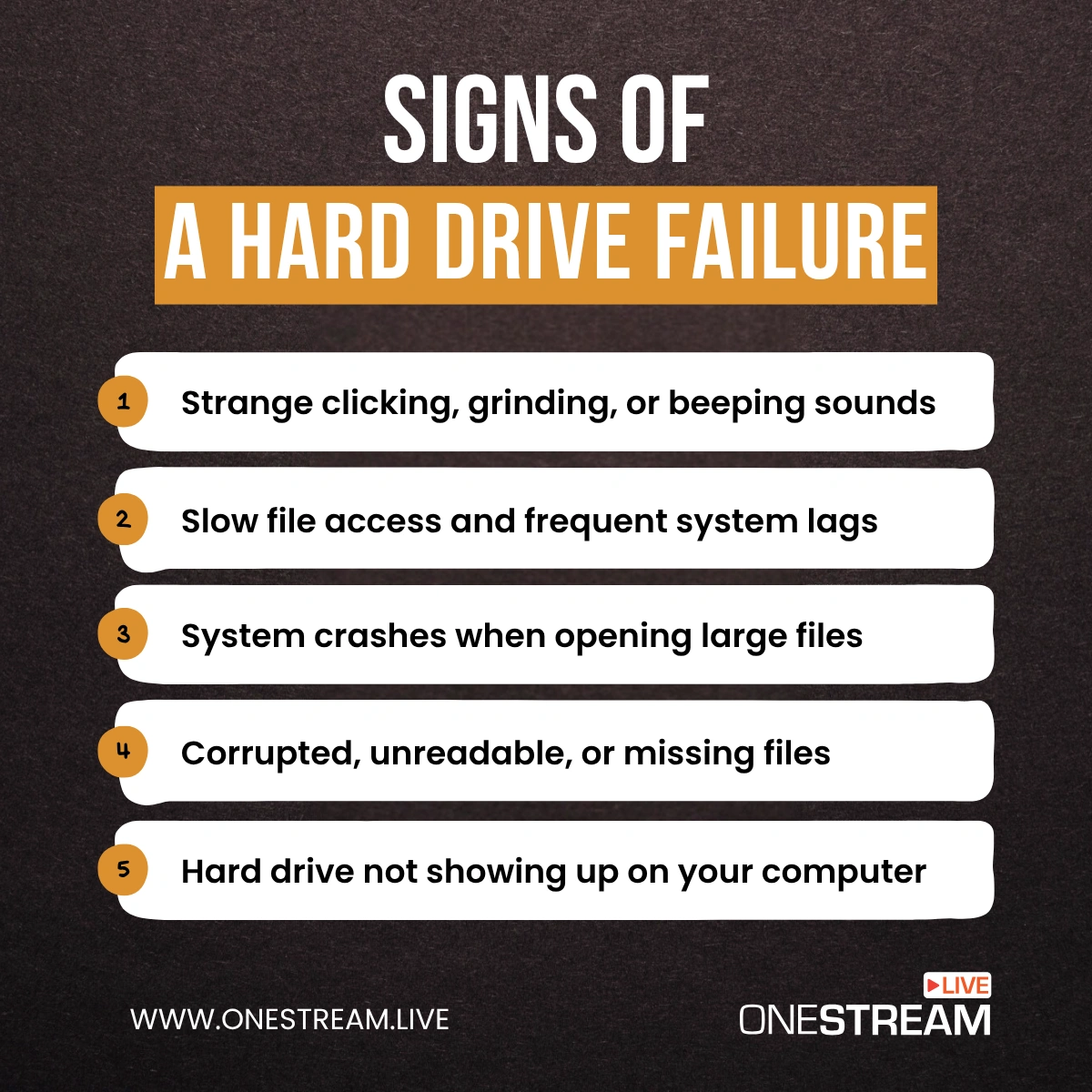
Corrupted or disappearing files: Data that vanishes or throws errors when opened.
Sluggish performance: File transfers take forever, or applications lag inexplicably.
Drive not recognized by the system: Your computer fails to detect the drive altogether.
If you notice any of these hard drive failure signs, stop using the drive immediately. Continuing to write or read data can make recovery more difficult—or impossible.
Whether it’s an external hard drive failure or the one housing your system OS, early detection is everything. Run a hard drive test or use built-in tools to check hard drive health, but if the symptoms persist, it’s time to call the experts before you risk permanent data loss.
The Real-World Cost of Losing Your Files
A hard drive failure doesn’t politely announce itself. It slams the door on your creative universe.
One moment, you’re basking in the glow of a successful multi-platform live stream—your chat buzzing, overlays shimmering, your voice crisp thanks to OneStream Live’s studio tools. The next, you’re staring at a screen that can’t find your drive.
Everything—your raw footage, edited highlights, even the pre-recorded streams you planned to run next week—gone in a blink.
This isn’t about being careless. Even expert creators with backups learn too late that sync errors, failing external drives, and human oversight are part of the trap.
When catastrophe strikes, amateurs panic. Professionals call in expertise. SalvageData specializes in surgical hard drive failure recovery, coaxing lifeless disks back to life with forensic precision. Pair that with OneStream Live’s cloud integrations and future-proof your workflow before the next disaster comes knocking.

Backups Are a Lifesaver—But They’re Not Foolproof
You think you’re safe. You’ve got your backups. Maybe two of them. One in the cloud, another parked on an external hard drive humming quietly on your desk. But here’s the truth about digital safety nets: even they fray.
Hard drive failures don’t always hit where you expect. Your primary disk gives out mid-edit.
You turn to your backup only to realize it hasn’t synced in weeks, or worse—it’s sitting on an aging HDD with its own mechanical gremlins. Meanwhile, your cloud storage stutters, leaving partial uploads and corrupted files behind.
In the content creator’s world, where every live stream and video clip feeds your brand, these gaps can be brutal. A single failed backup can mean losing your pre-recorded playlists or the seamless overlays you designed in OneStream Live Studio.
That’s why the golden rule still stands:
- 3 copies of your data.
- 2 types of storage media (cloud + physical).
- 1 copy offsite (so it survives even if your gear doesn’t).
But even that’s not bulletproof. Hard disk drive failures can slip in quietly, their signs unnoticed until you need those files the most.
The smart move? Don’t just backup. Test those backups. Automate them. And don’t assume your drives will be faithful forever—because they won’t be.
How to Handle a Hard Drive Failure Like Pros
Here’s the nightmare moment: You’re mid-edit on last night’s live broadcast, the one where you nailed every transition in OneStream Live Studio, and suddenly your drive vanishes. Files? Gone. The cursor spins like it’s mocking you.
First instinct? Panic. Second? Google “how to fix hard drive failure” and download the first free recovery tool you find. But here’s where so many creators dig the hole deeper.
Step one: Stop. Don’t touch anything.
If your disk is clicking, grinding, or failing to mount, shut it down. Every attempt to revive it might overwrite recoverable data.
Resist the temptation to run Disk Utility or chkdsk. These well-meaning fixes can sometimes turn a fixable problem into permanent loss.
Step two: call in the pros.
A trusted recovery service like SalvageData works in sterile environments (clean rooms) where experts can gently revive dead drives and extract files without further damage. Unlike generic tools that promise “miracle recoveries,” they use forensic-grade techniques—because when it’s your career, your archives, or your client’s files on the line, you don’t gamble.
For creators who stream daily or manage massive media libraries, redundancy is your armor. Think of it like triage:
- Don’t DIY surgery on a failing disk.
- Freeze the scene (figuratively, not literally—no ziplock bags in the freezer, please).
- Hand it to someone who knows what they’re doing.
Keep Your Workflow Safe Moving Forward
Here’s the truth most content creators don’t want to hear: hard drive failure isn’t a question of if. It’s when. And when it does happen, the only thing standing between you and a career-derailing disaster is the system you’ve built—or failed to build.
Adopt the 3-2-1 Rule: Keep 3 copies of your data, use 2 different storage types (like SSD and cloud), and store 1 copy offsite. This is your firewall against hard drive failure.
Upgrade to SSDs: Traditional hard disk drives (HDDs) wear out faster under heavy workloads. SSDs offer speed, durability, and fewer hard drive failure rates, making them ideal for video creators.
Automate Your Backups: Use tools like Time Machine, Backblaze, or OneStream Live’s cloud storage integration to ensure your critical live streams and media are safe—without relying on memory.
Use RAID for Redundancy: RAID 1 or RAID 5 setups mirror your data across drives. One fails? You’re still in the game.
Run Monthly Health Checks: Regularly check hard drive health to spot early signs of trouble—slow performance, strange noises, or file errors.
Declutter Your Storage: Separate active projects from archives. Don’t store live stream recordings, presets, and client files on one fragile external hard drive.
Plan for Workflow Continuity: For creators relying on live video distribution, workflow disruptions aren’t just inconvenient—they can cost audiences and revenue.
Use Cloud Platforms: Tools like OneStream Live let you schedule, store, and distribute content reliably—removing dependence on a single drive.
Hard Drive Failure: The Silent Saboteur of Creators
For content creators, hard drive failure isn’t just a technical glitch—it’s the moment your entire creative universe threatens to implode. Hours of live streams, carefully edited footage, and hard-won audience trust can vanish in a heartbeat.
You can’t afford to gamble with your data. Build smarter workflows, back up obsessively, and lean on tools like OneStream Live to keep your content secure and your schedule running—no matter what. Because in this business, your ideas are priceless… but only if they survive the next crash.

OneStream Live is a cloud-based live streaming solution to create, schedule, and multistream professional-looking live streams across 45+ social media platforms and the web simultaneously. For content-related queries and feedback, write to us at [email protected]. You’re also welcome to Write for Us!