
Do you know the biggest cooking channel is run by a cat? It has 37 million subscribers on YouTube, a virtual chef called That Little Puff. Yes, a cat-themed creator cooking up viral content. If a virtual cat can build a brand, so can you. In 2025, cooking channel streaming is your chance to go live, share recipes, and grow fast. It’s perfect for beginners, restaurant owners, and food vloggers. Ready to stream from your kitchen?
You can start a cooking channel in 2025 with simple, affordable equipment.
Choosing a clear niche helps your channel grow faster and attract the right audience.
Good lighting, clear audio, and clean camera angles make your cooking videos more engaging.
Consistent content planning and scheduling are essential for steady channel growth.
Multistreaming tools help you reach more people across multiple platforms at the same time.
With the right setup, your cooking channel can become a strong personal brand and income source.
Why Start Cooking Channel Streaming
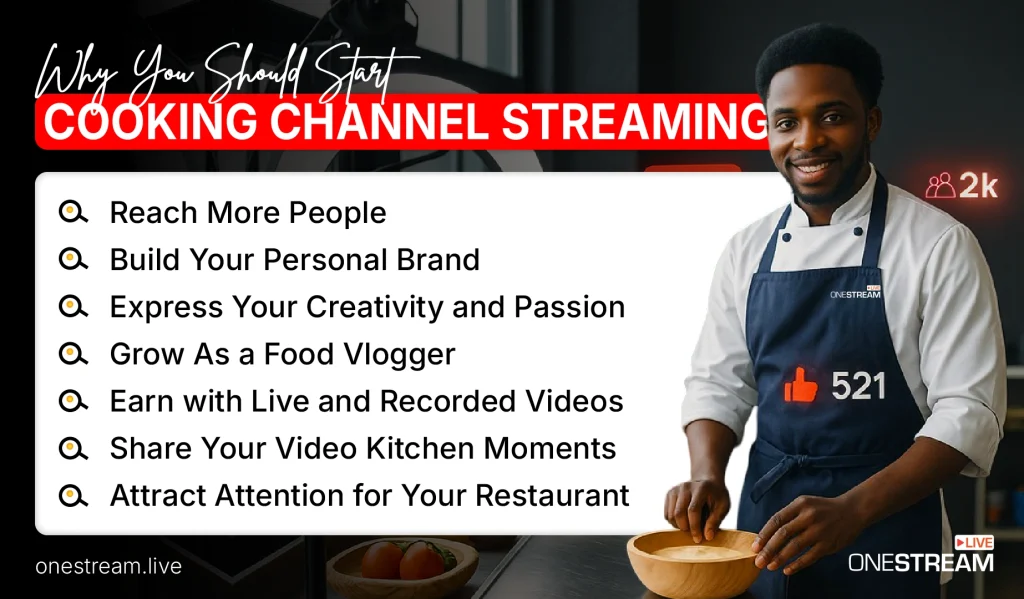
Starting a cooking channel streaming can offer many benefits. It helps you reach more people and build your personal or business brand. Live streaming also creates new opportunities to earn and engage with fans.
Reach More People
Live streaming can expose your cooking to a huge audience. Over 25% of internet users watch live streams weekly, so there’s a big potential viewership for your cooking channel. Unlike a physical restaurant or local class, the internet lets anyone watch your cooking channel stream.
Multi-streaming further increases this reach; you can be on YouTube, Facebook, and other platforms at the same time. Viewers from all over can discover your food content, which means a bigger fan base for you.
Build Your Personal Brand
Starting a cooking channel helps you build a personal brand as a cook or chef. You showcase your personality, cooking style, and expertise in each video. Over time, people recognize you and trust your content. A strong personal brand can open doors from cookbook deals to guest appearances and make you a known name in the food community.
Express Your Creativity and Passion
A cooking channel is a perfect outlet to channel your creativity and share your passion for food. You get to experiment with unique recipes, invent plating styles, and showcase your culinary twists.
Creating videos, filming ingredients, and adding your personal storytelling lets you turn cooking into an art form. This creative process not only sets your content apart but also keeps you inspired and motivated as a creator. If you love cooking, teaching, or entertaining, a channel gives you the canvas to do it in your own style.
Grow As a Food Vlogger
Running a cooking channel also helps you grow as a food vlogger and content creator. You will improve your cooking, presentation, and video production skills with each stream. You’ll also connect with a community of fellow food lovers. Viewers’ comments and feedback help you learn and refine your craft.
Earn with Live and Recorded Videos
A cooking channel isn’t just a hobby. It can become a source of income. Platforms like YouTube allow you to monetize through ads once you grow your audience. You can also earn via sponsorships (brands might send you cooking products to feature), affiliate links to ingredients or tools. Live streams and recorded recipe videos can both generate revenue over time.
Share Your Video Kitchen Moments
One of the joys of a cooking channel is sharing authentic video kitchen moments. You can take viewers behind the scenes in your kitchen from family recipes to funny bloopers while cooking live. By streaming your cooking channel, you invite people into your kitchen virtually. This helps create a personal connection and lets you share your culture, techniques, and passion for food in a genuine way.
Attract Attention for Your Restaurant
If you are an owner of a restaurant or you have a food business, live streaming a cooking channel can be a powerful marketing tool. You can showcase your signature dishes, chef’s skills, and kitchen creativity to attract new customers. Visual content strongly influences people’s dining decisions and according to the data, about 40% of diners try a restaurant after seeing delicious food photos or videos online. By live streaming cooking demos or behind-the-scenes food prep, you entice viewers to visit your restaurant. It’s a cost-effective way to build buzz and loyalty for your business.
How to Start a Cooking Channel
Ready to get cooking on camera? Success on YouTube or any other platform comes from good planning and consistent execution. Follow these key steps to launch your cooking channel:
1. Choose Your Niche and Channel Idea
Decide what kind of cooking content you want to create. Pick a niche that matches your passion and expertise: for example, vegan baking, quick weeknight dinners, BBQ grilling, or family recipes.
So first, brainstorm cooking channel ideas and see what excites you. A clear theme will help your channel to grow. Knowing your niche also gives clarity on how to create cooking videos that appeal to your target audience and keeps viewers coming back for more.
2. Prepare Your Cooking Video Equipment and Setup
You do not need an expensive studio, but you do need some basic gear for a good cooking stream setup. At minimum, use a decent camera (even a smartphone with a good camera will work), a stable tripod or mount, and a microphone so viewers can hear you clearly.
Good lighting is important too. Try to film in a well-lit kitchen or add an extra light if needed. Many creators use DSLR cameras (like a Canon 7D, one of the best cameras for cooking videos) for high quality, but even a smartphone can do the job.
In other words, start with whatever cooking video equipment you have and upgrade as you grow. Also, organize your kitchen for filming: keep your countertop clear and camera angle focused on the food.
Do a quick test recording to check your camera angle and sound. Your cooking video setup doesn’t have to be perfect; just make sure viewers can clearly see and hear your food and instructions.
3. Create Your Channel and Description
Next, set up your channel on the platform of your choice. Many beginners start a channel on YouTube because it’s user-friendly and popular for food content.
If you are wondering how to start a cooking channel on YouTube, it’s straightforward: create a Google account (if you don’t have one), click the YouTube app and choose “Create a channel.” Pick a catchy channel name related to your niche (for example, “Vegan Bistro Home Cooking” or “BBQ Masters”). Then write a compelling cooking channel description for your channel’s “About” section.
Describe what viewers can expect from your videos. Mention your niche, your style, and how often you will post new content. A good description helps viewers find you and sets the tone for your brand.
Read More: How to Start a YouTube Channel in 2025?
4. Plan Your Content and Schedule
Before filming, take time to plan out your first few videos. Jot down recipe ideas that fit your niche and test them out. It helps to create a simple storyboard or outline for each video, know the key steps to show, any tips to mention, and how you will introduce and conclude the recipe.
Planning also means deciding how often you will post new videos. Consistency is key to attracting and keeping an audience. Create a content calendar for your first 5–10 videos and aim for a realistic upload schedule. Stick to your schedule as much as possible as regular uploads help build momentum.
5. Film and Edit Your First Video
When you are ready to shoot, choose a recipe you know well for your debut video. Keep it straightforward as it is more important that you explain clearly than attempt something overly complex.
Don’t worry if it is not perfect; you will improve with each video. As you film, get multiple angles if possible (wide shot of you cooking, close-ups of the food, etc.) to make the video more engaging. Speak clearly and be yourself on camera, so viewers can connect with your personality.
After recording, use any beginner-friendly editing software to cut out mistakes and add some polish. Include text for ingredients or steps if it helps, and make sure that the final video flows at a good pace (not too slow or too rushed).
The first video is a learning experience, and the more important thing is to publish it rather than procrastinate. As one successful YouTube chef admitted, it took time to figure out how to make a video that wasn’t “totally crappy,” but everyone improves by doing. So get that first video out and learn as you go!
6. Optimize and Upload
When uploading your video, take advantage of SEO tactics so people can find your content. Use a clear, descriptive title with keywords. Write a detailed description including the recipe and relevant keywords, and add helpful tags (e.g. “pizza recipe,” “baking,” “Italian cuisine”) so the video appears in searches.
Create an eye-catching thumbnail image of the finished dish to attract clicks. Once uploaded, stick to your posting schedule so viewers know you’re active. Consistent posting builds trust and viewership over time. If possible, plan your next videos in advance and even use YouTube’s scheduling feature to publish at optimal times. Remember, quality matters more than sheer quantity, so find a balance that you can sustain long-term.
7. Promote Your Channel and Engage Viewers
In the early stages, you will need to proactively promote your videos to get the ball rolling. Share your cooking videos on your other social media accounts and post enticing food photos on Instagram or Facebook with a link to your video.
You might also join food-related communities or forums like subreddits or Facebook groups and participate genuinely (without spamming) to get involved in the conversation. Encourage viewers to subscribe to your channel and ask for feedback or suggestions for future recipes (this makes people feel invested).
Always respond to comments on your videos in a friendly manner. This kind of engagement helps turn casual viewers into loyal subscribers and signals YouTube’s algorithm that your channel has activity. Building an audience from scratch takes time, but by actively promoting and engaging, you will start to see your subscriber count and view counts grow.
How You Can Promote Massively
Once your channel is set up and you have some content, it is time to promote it to reach a larger audience. Here’s how OneStream Live can help you promote massively:
Multistream to Reach Everyone
OneStream Live lets you broadcast your cooking stream on multiple platforms at the same time. You can go live on YouTube, Facebook, Twitch, and more simultaneously. This maximizes your viewership and you can live stream to over 45 platforms at once.
Multistreaming means you don’t have to choose just one platform, and your followers on any site can watch you live. This greatly expands your audience without extra work for you.

Schedule Streams and videos
Consistent scheduling becomes easier with OneStream Live. The platform allows you to schedule your live streams in advance and even set up pre-recorded cooking videos to stream as “live” at a scheduled time. This means you can plan a week’s worth of cooking content and have it go live automatically at the times you choose. Scheduling helps you reach viewers at optimal times. It also keeps your channel active even if you can’t go live in person every time.
Multi-Camera and Invite Guests
Want to get fancy with multiple camera angles? OneStream’s Live Studio allows up to 4 camera inputs and easy switching during your stream. This is perfect for cooking streams where you might want to show a close-up and a wide angle. Also, you can invite guests (other chefs, friends, or viewers) up to 10 people in your stream. You could collaborate with another food vlogger or have a guest from another kitchen without complicated setups. These advanced features are there for you as your channel grows.
Unified chat for Easy Engagement
When you multistream, viewers might be commenting on different platforms. OneStream Live solves this problem with a unified chat feature. You can see all your viewers’ comments from YouTube, Facebook, and other social platforms in one chat window.
This unified chat feature makes it easy to engage with everyone in real time. You can answer questions and react to feedback without juggling multiple apps. A lively, interactive chat keeps viewers engaged and coming back to your cooking streams because they feel connected to you.
Conclusion
Starting a cooking channel can be one of the most fulfilling ways to share your love of food with the world. By choosing a niche, setting up basic equipment, and consistently creating content, you can build a loyal audience around your cooking.
Remember that when it comes to how to make cooking videos that attract viewers, authenticity and clarity are more important than fancy production.
Focus on good food, good lighting, and your unique flair. If you have been wondering how to start a cooking show, the answer is to stream it yourself. Start now, have fun, and keep learning.
Tie on your apron and start your cooking channel streaming journey. Your audience is waiting to taste what you have to offer!

FAQs About Starting Cooking Channel Streaming
You’ll need a decent camera, microphone, good lighting, and a quiet, well-lit kitchen setup to record or stream your content smoothly.
Focus on clean framing, appealing background aesthetics, and consistent lighting to create a polished and appetizing viewing experience.
You can go live on platforms like YouTube, Facebook, or TikTok, or use tools that allow multistreaming to reach wider audiences at once.
Post regularly, engage with your viewers, share short clips on social media, and experiment with recipes that spark curiosity.
Not at all start with what you have, focus on good storytelling and camera angles, and upgrade your equipment as your audience grows.
OneStream Live is a cloud-based live streaming solution to create, schedule, and multistream professional-looking live streams across 45+ social media platforms and the web simultaneously. For content-related queries and feedback, write to us at [email protected]. You’re also welcome to Write for Us!