X (formerly Twitter) is the platform where trends turn into news. Known for free speech and organic conversations, it remains one of the most trusted social networks. With the rising demand for video content, X has expanded its features to include live streaming. Even more, it now offers built-in monetization programs for creators. You can earn through ads, subscriptions, and direct tips from viewers. This guide explains how to get paid on X by using live streaming. You’ll learn why you should live stream on Twitter, what monetization options are available, the eligibility requirements to qualify, and practical tips to maximize your earnings.
- X is a platform with a massive built-in audience and real earning potential.
- Live streaming helps you grow reach, engagement, and community trust.
- Multiple monetization options are available, including ads, subscriptions, and tips.
- Consistency, quality content, and verified engagement are the keys to success.

Why Live Stream on X (Twitter)
X is one of the world’s largest social networks. It has a massive built-in audience, which means you can easily grow your audience and income. Here’s why Twitter live video is worth your time.
Large Global Reach
X has a massive user base and it is about 561 million active users monthly (132 million daily). When you live stream on Twitter (X), your content can reach an enormous worldwide audience on the platform where your followers already are. This built-in reach means more potential viewers and more impressions on your live videos.
Powerful Streaming Tools
The Twitter app (X app) makes it easy to go live. You can start an X Live broadcast from your phone with one tap. X also supports scheduling streams in advance and even editing highlights after with its LiveCut feature. You get interactive chat, viewer notifications, and the ability to save and share your live stream clips. These tools help you engage viewers during and after your broadcast.
Generous Earnings Share
X’s monetization programs let creators keep most of their earnings. Historically, Twitter made money from advertising (over 85% of its revenue came from ads). Now, the platform shares that ad money with you. In fact, creators reportedly keep around 97% of revenue from subscriptions or shared ads (until very high earnings). This 97/3 split is far better for creators than other platforms (for example, many streaming sites take 30–50%). X monetization is designed so you get the biggest slice of the pie.
Beyond these points, live video content itself is surging in popularity. Short-form videos are viewed as 2.5× more engaging than long-form content, and 37% of social media users say live video is the most engaging type of content. In other words, audiences are drawn to live streams. X is leaning into this trend by incentivizing creators who stream and post videos. It’s a perfect time to start monetizing content on X through live broadcasts.
Pro Tip: X has a massive audience, but it isn’t the only platform. Use OneStream Live to multistream your broadcast to YouTube, Facebook, LinkedIn, and more than 45 other platforms and even your own website at the same time. More platforms mean more viewers, more impressions, and more income, all from a single live stream.
X Monetization Options for Live Streams
X offers multiple content monetization features to help creators earn money from live broadcasts and videos. Once you meet the eligibility criteria, you can take advantage of these Twitter monetization options:
Ads Revenue Sharing
This is X’s ad-revenue split program for creators. If you opt in, X will insert ads in the replies to your tweets (including live stream posts). You then earn a share of the advertising revenue from those ad impressions.
To qualify, you must have an X Premium (Blue) subscription, at least 500 followers, and 5 million tweet impressions in the past 3 months. When you go live, encourage engagement. The more verified users reply to or like your stream’s post, the more ad revenue you earn (X calculates earnings based on verified user engagements like likes/replies). Payouts for ad sharing are processed every two weeks, with a $10 minimum for withdrawal.
Subscriptions
X Subscriptions (formerly Super Follows) let your followers subscribe to you for a monthly fee to get exclusive content. As a creator, you can offer perks to subscribers such as bonus posts, exclusive Q&As, or special live Spaces sessions. To use this, you need to apply and be approved. Requirements include being Premium, having 2,000+ followers, and 5M impressions in the last 90 days. You set a monthly price (common tiers are around $2.99, $4.99, etc.).
X currently takes no cut up to $50k lifetime earnings and creators keep around 97% of subscription revenue until then. (After $50k, the share may adjust.) Subscribers get a badge by their name, and you get paid out after you’ve accumulated at least $50 in subscriber revenue. Payouts for subscriptions are released on a monthly cycle (typically ~60 days after the month ends).
Tips (Tip Jar)
The Tips feature lets viewers send you one-time payments directly. You can enable Tips on your profile and link your preferred payment services (like Cash App, Venmo, PayPal, or Strike). Then a little money icon appears on your profile. Anyone who enjoys your content can tap it and send you a tip through those third-party apps. X doesn’t take any cut of Tips, and creators receive 100% of what followers send (minus any fees from the payment processor).
This is a quick way to monetize live streams: for example, a viewer might send you $5 on PayPal as thanks for a great live video. There’s no payout threshold since tips go directly to your linked accounts. Tips are set up and sent off-platform via those payment services, so you’ll need to be at least 18 and follow the third-party terms.
Amplify Pre-Roll & Sponsorships
Amplify is X’s premium video advertising program. It allows top creators or publishers to monetize videos with pre-roll ads or brand sponsorships. Unlike Ads Revenue Sharing (which is open to all eligible users), Amplify Sponsorships are invitation-only. Typically, you need to be working with X’s media partnerships team or have a large, brand-safe channel.
If accepted, advertisers can run pre-roll ads on your live streams or video content, and you earn revenue from those deals. Amplify payouts are on a net-60 basis (paid ~60 days after the end of each month) and only occur once your earnings reach at least $100.
While not everyone can access Amplify, it’s a lucrative program for those who can; essentially, it’s X’s version of YouTube’s partner program for big video publishers.
Payout Setup (Stripe)
All of X’s monetization payouts (for ads and subscriptions) are handled through Stripe. In your X account settings, there is a Monetization section where you can apply for these programs and “Set up payouts.” You’ll need to connect a Stripe account and complete identity verification.
Once connected, your earnings from Ads Revenue Sharing and Subscriptions will accumulate in a payout balance. When you hit the minimum thresholds (e.g. $10 for ads, $50 for subs), X will automatically initiate a payout to your bank via Stripe.
Stripe may require you to provide tax info and a bank account, so be prepared to fill that out. Make sure the country of your bank account is one of the supported countries for payouts. Currently, Stripe supports dozens of countries for X’s program, including US, UK, Canada, etc. See the full list.
These monetization options mean you can make money on X in multiple ways. For live streamers, a combination of ads, subscriptions, and tips can work together. For example, during a live stream you might earn ad revenue (from people replying to your live tweet), get a few new subscribers who want exclusive content, and receive tips from fans who enjoy the broadcast. Next, we’ll look at the requirements to enable these features.
X Monetization Requirements (Twitter Monetization Eligibility)
Not everyone can start earning on day one; you need to meet certain criteria first. Here are the key Twitter monetization requirements for creators in 2025:
Basic Account Eligibility
You must be at least 18 years old and have an account that’s at least 3 months old. Your profile should be complete with a valid name, bio, profile photo, and header image. Additionally, you need to have a verified email address and have two-factor authentication enabled on your account. X also requires that your account is in good standing (no recent rule violations or spam behavior) and not a state-affiliated media account. Read full requirements here.
X Premium or Verified Organization
To access creator monetization features, you must be a subscriber to X Premium (formerly Twitter Blue) or a Verified Organization. In other words, you need that blue checkmark status. Being a Premium user is mandatory for both Ads Revenue Sharing and the Subscriptions programs.
Follower Count
To monetize on X, you need a minimum follower base. We already mentioned these requirements in the above paragraph.
For the ad revenue program, you must have at least 500 followers. For the Subscriptions program, you need at least 2,000 followers before you can apply. Keep in mind, X now emphasizes verified followers only; followers who are themselves Premium (verified) count toward these totals in your analytics.
So the quality of your audience matters. Hitting 500 total followers is great, but ensure a chunk of them are Premium users, since X is effectively looking at how many paying subscribers follow you.
Engagement (Impressions)
Your tweets must have at least 5 million organic impressions in the last 3 months (90 days). An impression is counted each time your content is seen on someone’s screen.
X will sum up the impressions on all your tweets over a rolling 90-day window. You need to cross 5,000,000 to be eligible for revenue sharing and subscriptions. This ensures you’re active and reaching an audience.
For example, if you live stream regularly and your stream announcements or clips go slightly viral, those all contribute to the impression count. (In practice, this averages to about 55k impressions a day over 90 days.)
Stripe Payout Setup
As mentioned, you have to set up a Stripe account and link it to X. This is done through the Monetization settings in the app. Stripe will require identity verification (such as ID documents) to make sure you’re a real individual or business.
If Stripe is not available in your country, you unfortunately won’t be able to receive payouts yet. Also note, the country on your X profile must be one that’s supported for payouts by Stripe/X (currently a long list including US, UK, much of Europe, India, etc.).
Once Stripe is connected, you will see your earnings dashboard and can track your payout status.
Content Rules Compliance
All monetized content must follow X’s rules and policies. This includes the X Rules (general content rules) and the Creator Monetization Standards. Certain types of content are not eligible for monetization; for instance, hate speech, excessive violence, or copyrighted material could get your revenue privileges revoked.
Basically, keep your live streams advertiser-friendly and follow the guidelines. If you violate policies, X can suspend your participation in monetization programs.
Once you meet all the above criteria, you can head to the Monetization tab in the X app and apply or opt in to each program. X will show checkmarks next to criteria you’ve fulfilled (like follower count and impressions) so you know if you’re eligible.
The Twitter monetization eligibility review can take some time after you apply, but many creators are approved quickly if they clearly meet requirements. Now, assuming you’re eligible, let’s move on to how to maximize your earnings when you start live streaming!
Tips to Monetize X Live Streams
Now that you’re set up to earn, here are some pro tips on how to make money on X with live video. These strategies will help you monetize on Twitter (X) more effectively and grow your payout over time.
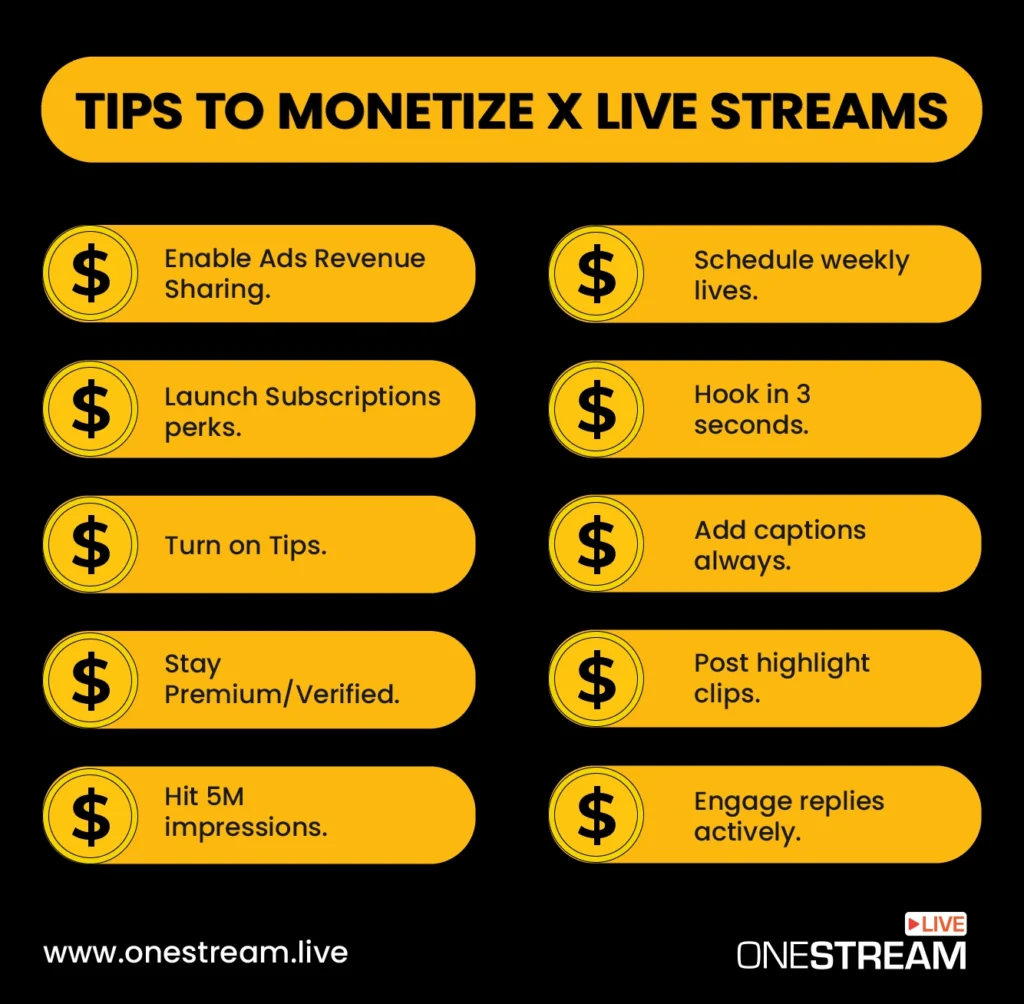
Enable Ads Revenue Sharing
First, opt in to the Ads Revenue Sharing program. Go to Monetization > Ads Revenue Sharing in your X settings and join it. Once enabled, focus on driving engagement from verified users on your live stream posts.
X monetization works by sharing ad revenue from verified user interactions with your content. That means when Premium users reply to or like your live stream tweet, you earn money. Encourage discussion and replies during your stream. The more lively the reply thread, the more ad impressions X can serve there, and the more you get paid. Also try to create compelling short videos or clips when you go live; these often attract more attention.
X processes the ad share payouts every two weeks, depositing to Stripe when you’ve earned at least $10. Keep an eye on your twitter monetization earnings in the dashboard and note which content spikes engagement, then do more of that.
Launch Subscriptions Perks
If you have a strong follower community, turn on Subscriptions and offer special perks. In the Monetization menu, apply for the Subscriptions (Super Follows) program. Once approved, you can set a monthly price (for example $5) and start monetizing on Twitter through subscriber content.
Make it attractive: plan some bonus content only subscribers get. This could be behind-the-scenes posts, a weekly “subscribers only” live audio Space, shout-outs, or a private group chat.
Promote your subscription on your profile (X will show a “Subscribe” button) and mention it occasionally in your live streams (“Enjoying the stream? Consider subscribing for exclusive posts!”). Building even a small base of subscribers creates a steady monthly X payout for you.
Turn on Tips
Don’t forget to enable the Tips feature; it’s an easy win. On your profile, tap “Edit Profile” and then “Tips” to set it up. Add at least one payment username (Cash App, Venmo, PayPal, Patreon, etc.).
When Tips are on, a tip jar icon will show up on your X profile. During or after your live streams, fans might use it to send you money as appreciation. Since these tips are handled off-platform, you get the money directly and X takes 0% of it. Only the payment service may deduct a small fee.
To maximize tips, let your followers know you welcome support . Also consider pinning a tweet with your tip links or thanking tippers (a shout-out can encourage others). Just remember to comply with X’s tipping policy (e.g. you can’t explicitly request money for illegal or adult content), and you must be 18+ to use Tips.
Hit 5M Impressions
Growing your impression count is crucial for staying eligible and increasing ad revenue. How does X monetization work? In large part, it rewards reach and engagement, so you want your content seen by as many people as possible.
Use smart tactics to boost your impressions: For instance, take advantage of trending topics and hashtags relevant to your niche so that more users discover your live streams. Promote your upcoming live stream a few times (tweet about it beforehand, maybe with an eye-catching image or a teaser clip).
When live, encourage viewers to retweet the stream or share it. After the stream, post highlights, which can also draw views. Collaboration is another powerful method: partner with other creators for joint streams or shout-outs, so you tap into each other’s audiences.
All these moves will help your tweets appear on more screens. Every view counts towards that 5 million. You can track your 28-day impressions in your X Analytics, or check the Monetization section to see your 3-month total.
Hitting the 5M isn’t easy for everyone, but consistent activity and engaging content will build momentum. Once you qualify, keep up the pace so you remain above the threshold (X won’t pay if you drop below the criteria).
Stay Premium/Verified
Always maintain your X Premium status. If you’re serious about monetization, the ~$8 per month for Premium is a necessary investment. Being a verified user (blue check) not only unlocks the monetization features but also signals to others that you’re a committed creator.
If your Premium subscription lapses, you’d lose access to these tools and your eligibility for payouts. Plus, X periodically checks that you remain above the follower and impression requirements. If you fell under and your account was no longer Premium, you might be removed from the program.
Another benefit is that brands or sponsors tend to prefer verified creators for partnerships, so staying verified can open doors to sponsorship outside of X’s built-in programs. Finally, always follow X’s rules to keep that verified account in good standing. A violation could not only suspend your account but also forfeit any pending earnings.
Schedule Weekly Lives
Consistency is key to building an audience that will pay. Choose a regular schedule for your live streams (for example, go live on X every Tuesday at 7 PM). Announce this schedule in your bio or a pinned tweet so fans know when to watch. Build an email list and send reminder messages to subscribers using an email marketing tool for your upcoming X live streams.
A weekly showtime creates anticipation and habit and your followers will start to remember. Use tools to help with scheduling. OneStream Live lets you schedule broadcasts in advance to X. With OneStream Live, you can even upload a pre-recorded video and set it to stream as live at a specific time. This can save you time and make sure your stream goes out smoothly each week.
Hook in 3 Seconds
Attention on social media is fleeting. When someone scrolls and sees your live video or replay, you have mere seconds to grab them. Always hook the viewer in the first 3 seconds of your stream. Start with something exciting or intriguing immediately, for example, a bold question, a shocking statistic, or a dynamic visual.
Avoid long countdowns or dull intros; many viewers will scroll away if nothing interesting pops up right away.
Add Captions Always
When it comes to video, assume viewers will watch on mute. On social platforms, a huge majority of people scroll with the sound off. That means if your live stream doesn’t have captions or on-screen text, most people might miss what you’re saying.
Always add captions or subtitles to your videos (or at least a textual overlay for key points). If you’re doing a live video via the X app, try to speak clearly and perhaps use the live captioning if available.
If you upload a pre-recorded video as a “live” stream using OneStream Live, you can easily attach an .srt caption file or burn-in subtitles beforehand. Captions make sure that even viewers in silent mode can follow along with your content. They also make your video accessible to those who are deaf or hard of hearing.
Another benefit is that captions increase retention and watch time since users can read along, which can boost your engagement rates and impressions. Many creators use quick subtitles (with fun styles or emojis) to emphasize what they say on screen. This is a smart move for content monetization because it keeps people watching longer (more ad impressions for you) and signals to the algorithm that people find your video interesting, which can lead to more reach.
Post Highlight Clips
One stream can become many pieces of content. After you finish a live stream on X, repurpose it by posting highlight clips. Go through the recording and cut out a few of the best moments, interesting insights, funny interactions, or exciting highlights, ideally 15 to 60 seconds each.
Then share those clips as native video posts on your X feed in the days following the stream. Why? Short highlight videos can attract people who missed the live broadcast. They serve as both promotional material and standalone content to generate impressions.
Make sure to tag any guest or mention any user who was involved in the clip. This can pull their audience into the conversation. Also, include relevant hashtags if applicable. Highlight videos tend to get more engagement than plain text tweets because they’re visual and easily digestible.
Engage Replies Actively
During and after your live stream, actively engage with your audience, especially in the replies. If someone takes the time to comment or ask a question, respond to them. This not only builds community but also boosts your revenue if those users are verified.
Remember, replies from verified users contribute to your ad earnings. So, encourage conversation. Also, people are more likely to tip or subscribe if they feel a personal connection, and responding to them can create that connection. Consider pinning a great reply or question to the top of your stream’s replies; this highlights an engaging discussion and invites others to join.
Final Thoughts
Now you have an idea of how to get paid on X and turn your live streams into real income. To recap, make sure you’ve enabled all the monetization tools available: Ads Revenue Sharing, Subscriptions, and Tips, so you have multiple income streams. Focus on creating engaging live content that sparks interaction, because genuine engagement (especially from Premium users) is what drives earnings on X.
Promote your streams and be regular with them; a loyal audience will grow over time. Use OneStream Live to simplify your X live streaming workflow.
Remember that content quality and community come first. Money follows when viewers find value in what you’re sharing. By following these tips and continually learning what your audience enjoys, you can turn your X live streams into a real source of income.
Twitter’s evolution into X has opened the door for creators to share in the platform’s revenue. It’s still a new frontier, so jump in now and refine your approach as you go. If you haven’t started yet, now is the perfect time to set up that camera, hit the “Go Live” button, and start engaging and earning on X today! Good luck, and happy streaming!
FAQs: How to Get Paid on X
Yes, you can earn on X Live through tips, Super Follows, and sponsorships tied to your streams.
Creators monetize on X via ads, brand deals, Super Follows, tips, and paid subscriptions.
X doesn’t pay directly for follower count, but 10,000 engaged followers can unlock monetization features and attract sponsors.
You can go live on X by tapping the camera icon in the mobile app, selecting “Live,” and starting your broadcast instantly.
OneStream Live is a cloud-based live streaming solution to create, schedule, and multistream professional-looking live streams across 45+ social media platforms and the web simultaneously. For content-related queries and feedback, write to us at [email protected]. You’re also welcome to Write for Us!