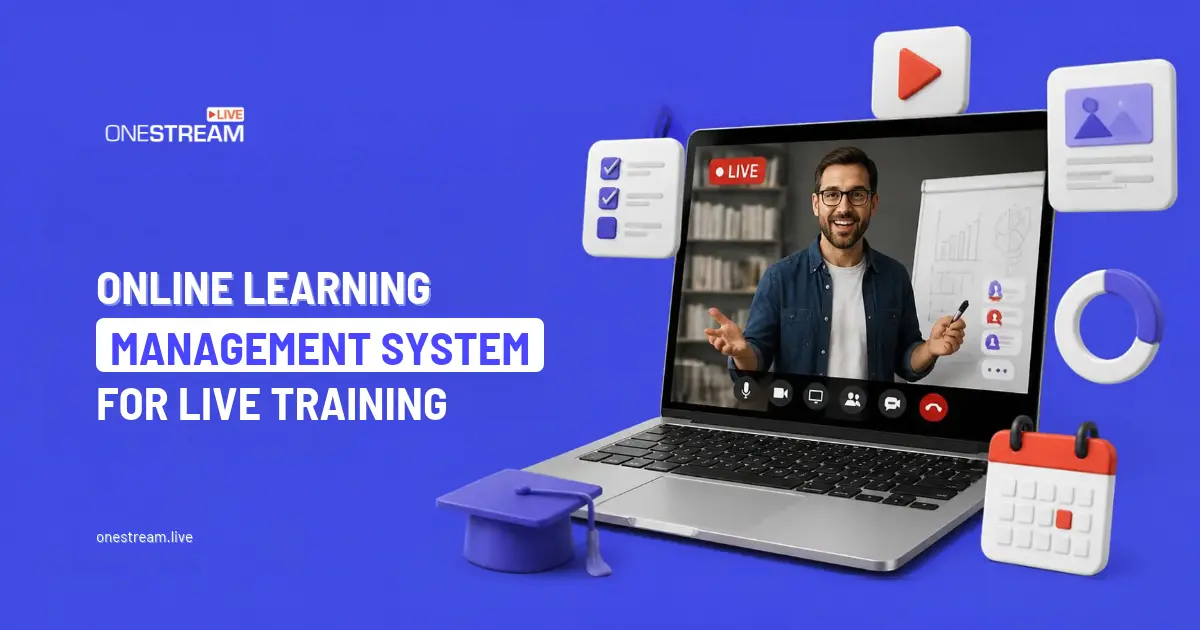
Live training works because people can interact in real time, ask questions, compare experiences and respond to an instructor’s guidance, and an online learning management system can carry those benefits well beyond the session itself. However, a scheduled session still occupies one point in the working week, so meetings, deadlines, time zones or unexpected responsibilities can keep someone away from learning when the moment arrives.
This limitation does not reduce the value of live training; instead, it shows why learning needs to continue beyond the session. If you attend a workshop today, you might understand the concept well, then need a refresher next week when you actually use it. A connected learning journey provides that opportunity, allowing learning to continue beyond the live session.
Key Takeaways:
- Live training is great for interaction, but one scheduled session can’t reach everyone or stick on its own.
- An online learning management system gives each session a home for recordings, slides, quizzes and follow-up work.
- Quizzes, refreshers and practical exercises after the session turn what people heard into what they can use.
- LMS data on progress and assessments shows L&D teams where learners need extra support.
- Run branded training in OneStream Live Studio, record it, and replay it across time zones with pre-recorded streaming.

From Live Session to Learning Hub
An online learning management system gives you a structured place where live training can continue after the instructor signs off. Microsoft describes an LMS as software that can plan, deliver, manage and assess courses or training programs, so an online LMS can connect content, progress, assessments and communication together.
You could finish a workshop and find its recording, slides, documents, quiz, assignment and materials together in one course. An LMS platform can organize those elements into a sequence, so you know what to revisit and what to complete next, while also tracking progress across activities.
Start With a Session Worth Revisiting
A recording people want to rewatch starts with a well-produced live stream. With OneStream Live Studio, trainers can run polished, branded sessions straight from the browser, with no extra software to install.
You can:
- Share your screen to walk through software, slides or processes step by step
- Bring in guest experts or co-trainers for panel-style sessions
- Switch between multiple cameras for demonstrations
- Add your logo, banners and overlays so every session looks consistent and on-brand
- Answer questions from one dashboard with Unified Chat, even when you stream to several platforms at once
Every session can be recorded, which gives you the raw material for your LMS course.
OneStream Live also lets you embed your live streams on any web page, so you can stream directly into the course pages learners already use. Learners don’t have to hunt for a separate link. The live session and the follow-up material sit in the same place.
When the Calendar Gets in the Way
Scheduling creates a problem for live learning, as employees balance training with meetings, customer needs, deadlines and different working hours. A global team can face several time zones, so one session cannot always suit everyone. Missing a workshop then creates a gap, but a recording alone can feel passive.
An online LMS can turn that recording into a flexible sequence, so you can watch sections when your schedule allows. You could then review a document, answer questions, complete an assessment or return to a difficult topic later, giving the platform a continuing role after the live session ends.
OneStream Live offers another way to close that gap. With pre-recorded streaming, you can schedule a recorded session to go live again at a time that suits each region, so attendees still watch with a live chat running instead of a video sitting in a folder. For teams that want a dedicated training channel without building a website, Custom Websites provide a ready-made, branded web page for sessions, with no coding or hosting required.
Learning That Fits Around Real Work
On-demand access becomes valuable when your team works remotely, follows a hybrid schedule or operates across countries. You might need ten minutes between meetings, an hour after your shift or a quieter period another day. A learning platform can accommodate those moments, so training fits working patterns with clear overall structure.
Microsoft’s learning services let learners pause, resume and track on-demand content over time, alongside scheduled instructor-led experiences. The same approach can be applied to workplace training, where employees receive live interaction when it adds value and self-paced access when flexibility matters, with that combination supporting distributed teams.
Turn Knowledge Into Something People Can Use
Training becomes more useful when you retrieve information after the session, as remembering a concept and applying it at work are different tasks. A short quiz can check understanding, while a refresher can bring key points back into focus. A practical exercise can then ask you to use knowledge at work.
Learning management software can make reinforcement part of course design, so follow-up does not depend on someone remembering to send an email. An online LMS can schedule quizzes, refreshers, assignments and additional resources after the live event. The platform can also record completed activities, helping keep progress visible.
Short clips from your OneStream Live recordings make these refreshers quick to produce, so you reuse content you already have rather than creating new material from scratch.
Use Data From Both Sides to Spot Support Needs
A trainer can learn a great deal from questions, discussion and reactions during a live session, but that snapshot has limits once the session ends. A learning management system adds useful context through records of participation, progress, completion and assessment activity too, so L&D teams gain a broader view.
That information can help L&D teams identify where people may need additional support and spot patterns across a group. If several employees struggle with the same assessment, the issue could point toward unclear material or insufficient practice. Ultimately, the data does not replace conversations, but it strengthens those discussions.
Let Live and Asynchronous Learning Each Do Their Job
Blended learning works best when each format has a distinct purpose, so live time can focus on interaction and asynchronous time can support practice. An instructor can introduce an idea, demonstrate a process, answer questions and encourage discussion. You can then return to the material through an online LMS later.
A structured learning environment can connect those stages into one journey, giving the live event somewhere to lead. Your learning platform can hold the recording and resources, while also supporting assessments and tracking progress. Overall, that structure preserves interaction while giving room to revisit material.
Conclusion: Make the Session the Beginning
A strong live session can give you clarity, momentum and interaction, but these benefits need reinforcement if you are going to apply them at work. When you revisit resources, test understanding, practice a skill and return to difficult material, it becomes easier to connect learning with your everyday responsibilities.
Useful learning management software supports that continuity, so live instruction and self-paced study reinforce each other. An online LMS can keep the next step visible, organize the overall experience and provide flexible access when schedules change. Learning then continues beyond one appointment.
Ready to run live training sessions people will want to revisit?
Frequently Asked Questions
What is an online learning management system?
It’s software for planning, delivering, managing and tracking training in one place. Learners find courses, recordings and assessments there, and trainers see who has completed what.
Can an LMS replace live training?
No, and it shouldn’t try. Live sessions handle discussion, questions and demonstrations, while an LMS handles revisiting, practice and tracking. The two work best together.
How do you make live training useful for people who missed it?
Record the session and add it to an LMS course with the slides and a short quiz. You can also replay the recording at a time that suits each region, so they still get a live chat experience.
What should you add to an LMS after a live session?
The recording, slides or handouts, a short quiz to check understanding, and one practical task to apply the skill at work. Short clips of key moments make quick refreshers later.
Can I stream live training directly into my course pages?
Yes. With OneStream Live you can embed your live stream on any web page, including your LMS course pages, so learners watch the session and find the follow-up material in the same place.
OneStream Live is a cloud-based live streaming solution to create, schedule, and multistream professional-looking live streams across 45+ social media platforms and the web simultaneously. For content-related queries and feedback, write to us at [email protected]. You're also welcome to Write for Us!