TikTok generally requires 1,000 followers and being 18 years of age to get live access on TikTok. However, the follower threshold may vary by region or testing period. With these requirements met and no violations on your account, you get access. But all this debate on how to get live access on TikTok has different answers. Some users have been reporting that they were granted access with followers as few as 500.
So, as a new streamer on the platform, what do you actually have to aim for? In this guide, we’ll dig deeper into this and explore everything related to going live on TikTok.
What is Live Access on TikTok?
Live access on TikTok is the feature that lets you start real-time broadcasts from your account once you meet age, follower, and policy requirements. It transforms your presence from pre-recorded content to more dynamic and interactive content, which many viewers find engaging. TikTok does not offer its “Live” feature to every account. There are certain requirements that you need to fulfill before you are granted TikTok live access.
What are the TikTok Live Access Requirements?
TikTok stated specific rules on their official website, and here’s a breakdown of all of them:
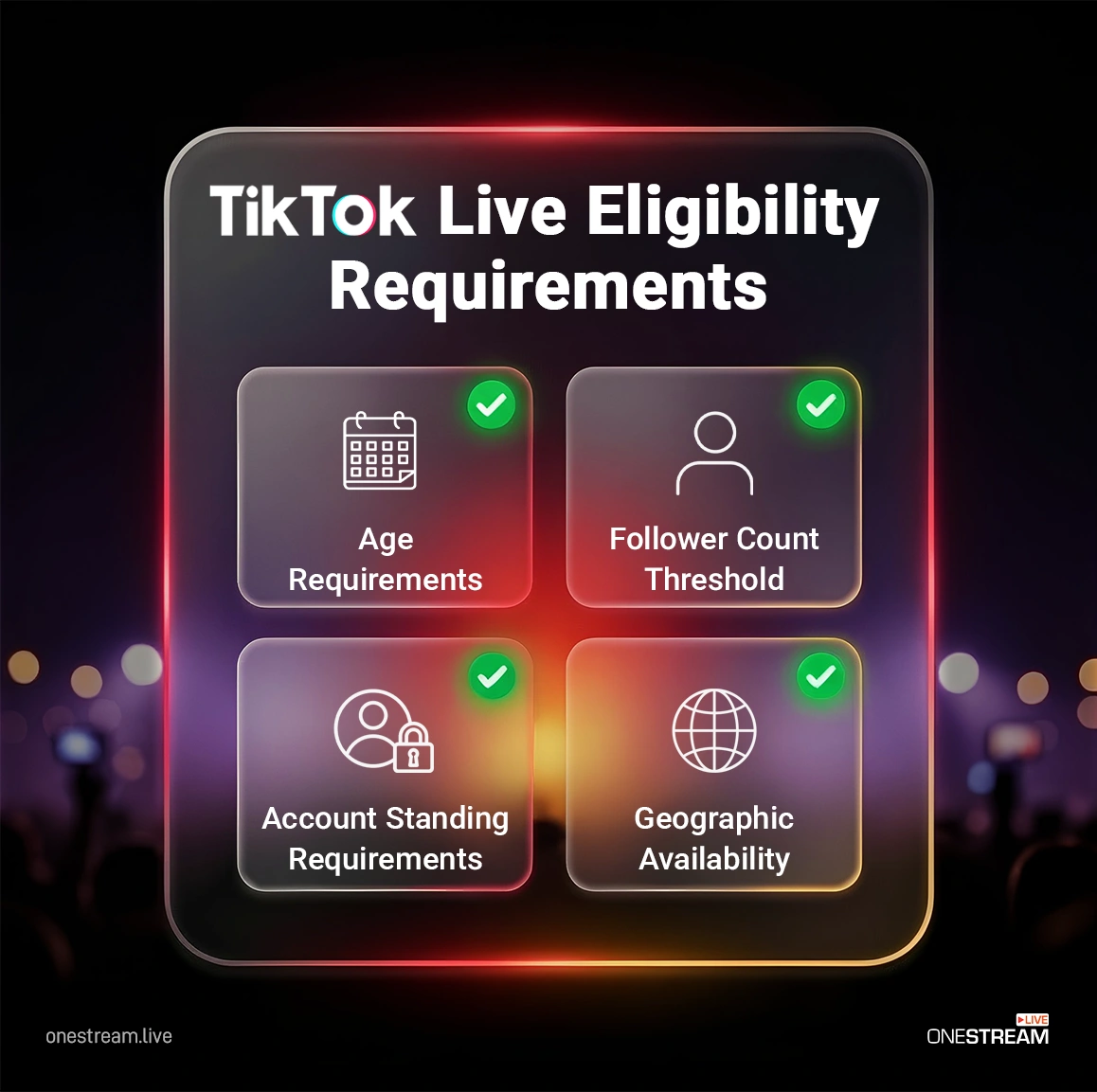
A. Age Requirements
In most regions, you must be at least 18 years old to go LIVE and to receive gifts, but exact age limits can vary by local laws and policy updates. TikTok may confirm your age with the following options:
ID and Selfies
- You can provide photo(s) of your government-issued ID.
- Submit 3 selfies taken from angles.
Selfie with ID
You can also confirm your age through TikTok’s trusted partner, Incode. You need to:
- Submit photo(s) of your government-issued ID.
- Selfie taken in real-time.
Note: Age verification is mandatory and protects both creators and viewers by ensuring TikTok Live maintains a safe, compliant environment.
B. Follower Count Threshold
TikTok officially requires at least 1,000 followers to unlock LIVE in most regions, although the threshold can vary in tests or specific markets. But some users on the internet claimed they are able to access TikTok live without 1,000 followers, suggesting that the platform evaluates multiple account metrics. Here are comments from Redditors on a post, “Is it possible to stream on TikTok without 1k followers?”
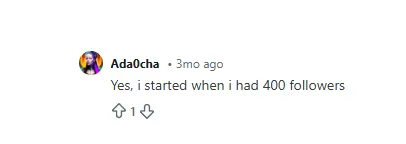
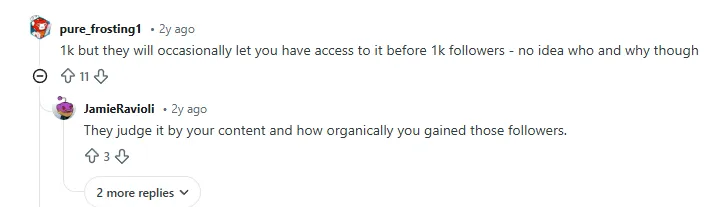
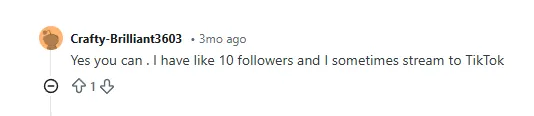
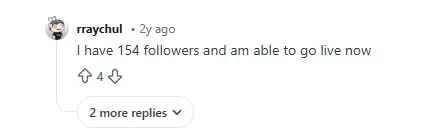
Considering these comments, our conclusion on this is: In rare cases, TikTok may grant you access before reaching 1,000 followers based on the activity of your account, but your focus should be on TikTok’s official policy, which is reaching 1,000 followers.
C. Account Standing Requirements
Can violations stop you from going live on TikTok? Yes, if your content violates TikTok policy and falls into categories like nudity, hate, harassment, or dangerous acts, then your live access gets restricted.
D. Geographic Availability
Is TikTok Live available in every country? No, TikTok Live is not available in all countries. Moreover, TikTok Live is not the same everywhere. A person in the United States may have more features than someone accessing it from Southeast Asia. A quick example is this: you may not have features like Live Gifts, which actually mean a great deal to streamers on the platform.
How to Get TikTok Live Access – Step-by-Step
If you’re new to the platform, you may struggle to access TikTok Live easily. Here’s a step-by-step guide to meet TikTok Live requirements and unlock streaming
Step 1 – Sign up for TikTok: Create an account and verify you’re 18+ years old. Complete your profile with a clear username, profile picture and bio that explains your niche.
Step 2 – Choose Your Niche: Select a specific topic (fitness, cooking, gaming, beauty, education) because by sticking to one niche, you grow to 1,000 followers faster. Additionally, you get better engagement, which gives your account a green light for TikTok Live
Step 3 – Post Consistently: Upload 3 – 5 high-quality videos per week. According to Sprout Social, the peak hours to post are:
- Mondays: 6–9 p.m.
- Tuesdays: 5–9 p.m.
- Wednesdays: 5–9 p.m.
- Thursdays: 5–9 p.m.
- Fridays: 3–10 p.m.
- Saturdays: 7–9 p.m.
- Sundays: 8 p.m
However, these are global averages, and your audience may differ. So it’s best to stick to your TikTok account Analytics to find when your followers are most active.
Step 4 – Don’t Stop Interacting: Your content visibility gets a boost in the algorithm if you keep engaging with your followers by replying to comments. TikTok’s recommendation system rewards content with high watch time and shares, which also helps you reach 1,000 followers faster.
Step 5 – Keep Tracking: Track your followers’ growth weekly using TikTok’s in-app analytics. If your followers are stuck, it’s a sign you need to change the type of content you’re pushing on the platform.
Step 6 – Apply for Live Access on TikTok: While TikTok Live generally unlocks once you meet the official requirement, in some cases, you might have to request it yourself. You can apply using this form. If you have less than 1,000 followers and you think your account is in good standing, you can request live access via TikTok’s support section in the app under Report a Problem > LIVE.
How to Go Live on TikTok PC
Here’s a quick guide on how to go live on TikTok PC.
Step 1: Download the TikTok Live Studio for Windows and Mac from here.
Step 2: Install the studio and then log in with your account details.
Step 3: Add the sources you want to capture for both video and audio.
Step 4: Add overlays, graphics, and other elements for a polished stream experience.
Step 5: Enter your stream title, select a category, and configure stream settings.
Step 6: Click “Go Live” to begin streaming to your TikTok.
How to Go Live on TikTok Using Your Phone
Follow these steps to start streaming from your mobile device:
Step 1: Ensure a stable Wi-Fi connection, good lighting, and position your phone on a tripod or stand.
Step 2: Launch TikTok and tap the “+” button at the bottom center of your screen.
Step 3: Swipe the bottom menu left until you see the “LIVE” option (it will appear only if you’re eligible). If you don’t see the “Live” button, you must ensure you meet all requirements, including age, followers, region, app version, and any violations.
Step 4: Add a stream title within the 32-character limit and select your topic category.
Step 5: Turn on Live Gifts in settings to receive virtual gifts from viewers. If your region and account are eligible for gifts, you can enable this monetization feature by going to Settings and privacy > Creator tools > LIVE Gifts and toggling it on.
Step 6: Tap the pink “Go LIVE” button to start streaming to your audience.
TikTok Live Studio – Do You Need It?
If you want your broadcasts to be a professional production level, then TikTok Live Studio is actually a good option. The studio gives you access to custom overlays, multiple cameras, and screen-sharing features. However, if you want more control, we suggest going live through a platform like OneStream Live.
Why Choose OneStream Live for TikTok Live?
- Unlike TikTok’s limited overlay and branding features, OneStream Live offers complete freedom in personalizing your stream with graphics to help you match your brand identity.
- TikTok Live Studio locks you into broadcasting to TikTok only. OneStream Live lets you simultaneously reach audiences on YouTube, Facebook, Twitch, LinkedIn, and 40+ other platforms with a single stream.
- Instead of being present for every stream like TikTok Live Studio requires, OneStream Live lets you upload pre-recorded content and broadcast it as live. This helps you stay consistent whcih gives you an algorithm boost on the platform
- No need to install any studio that slows down your PC. Unlike TikTok Live Studio, which requires software installation and computer resources, OneStream Live runs entirely in your browser.
What are Requirements to Access TikTok Live Studio?
You typically need existing TikTok Live access (1,000+ followers and 18+ years old) before applying for Live Studio. However, these requirements vary by region and creator categories. Download the application from here and log in with your eligible TikTok account credentials.
Important Access Policy: TikTok typically grants an initial trial period (often 7-14 days, varying by account). Stream via Live Studio for 25+ minutes at least twice during that trial, and access auto-extends to 180 days. Ongoing renewals require 25+ minute streams at least three times in the prior 30 days. Always check your app’s Live Studio panel for exact terms, as they can update.
Final Words – Is TikTok Live Only About Hitting 1,000 Followers?
The fact that many users on the internet report that they can broadcast on the platform without hitting 1,000 followers. However, these creators who are getting access below 1,000 followers are rare cases and not guaranteed for everyone, so treat them as bonuses, not a strategy. Your plan should remain the same: reach 1,000 followers, as that’s the documented requirement.
TikTok growth can’t be doubted, but targeting one platform is simply not enough to pursue streaming as a career. Thats exactly why the top streamers use multistreaming platforms like OneStream Live to simulcast on other platforms like Twitch, YouTube, Facebook, and TikTok. By maintaining your presence on all the top platforms, you build an identity that gets recognized everywhere.

FAQs
Live access unlocks automatically once your account meets TikTok’s eligibility requirements, including age and follower count. If you still don’t see the LIVE button, you can contact TikTok support via the app to request access, but approval isn’t guaranteed.
Officially, TikTok requires at least 1,000 followers to go live. Some creators have successfully requested LIVE access under that threshold through support, but this is not documented or guaranteed.
In most cases, both the host and guest need LIVE access (which typically means 1,000+ followers and being old enough) to go live together. If one of you doesn’t meet the requirements, the feature may not be available.
The documented requirement is 1,000 followers to unlock TikTok Live. In rare cases, people get LIVE access with fewer than 1,000 followers.
No, live access is limited by factors such as age, location, account standing, and follower count on TikTok.
OneStream Live is a cloud-based live streaming solution to create, schedule, and multistream professional-looking live streams across 45+ social media platforms and the web simultaneously. For content-related queries and feedback, write to us at [email protected]. You’re also welcome to Write for Us!