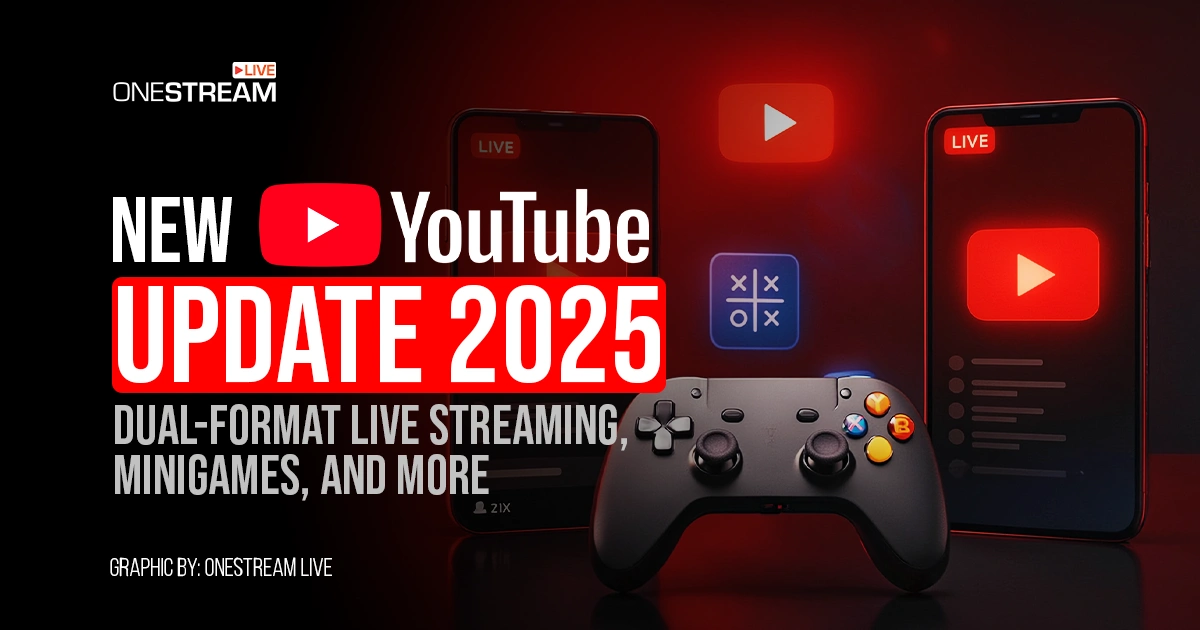
Are you struggling to keep your YouTube audience engaged? Well, good news for you, the new YouTube update has made your job easy. This update introduced some new features and is focused on improving the livestreaming experience. Why? Because YouTube knows it has a high percentage of live content viewers. The video giant confirmed that over 30% of daily logged-in YouTube viewers watched live content in Q2 2025 alone.
The platform also stated that it’s the largest upgrade to its live ever introduced. The update simplified connecting with your existing fans, expanding your reach to a broader audience, and monetizing live streams. With all this introduced, it would be unwise to keep your streaming strategy the same. YouTube is suggesting that you adopt what’s new. However, before that, you should know everything about the update.
- YouTube dual-format live streaming update to engage everyone on different devices like desktops/tablets/TVs/mobiles.
- Use YouTube playables to add interactivity in your live streaming through mini-games like Cut the Rope and Angry Birds Showdown.
- Let AI-Powered Highlights automatically detect and clip your best moments into Shorts and simplify your content production.
- New Ad and Membership Controls to keep both your public and paying members engaged through split-screen ads and seamless streaming switching.
- Use OneStream Live to test your dual-format stream and go live on 45+ platforms, along with YouTube.
YouTube Update 2025 – What’s in it for You?
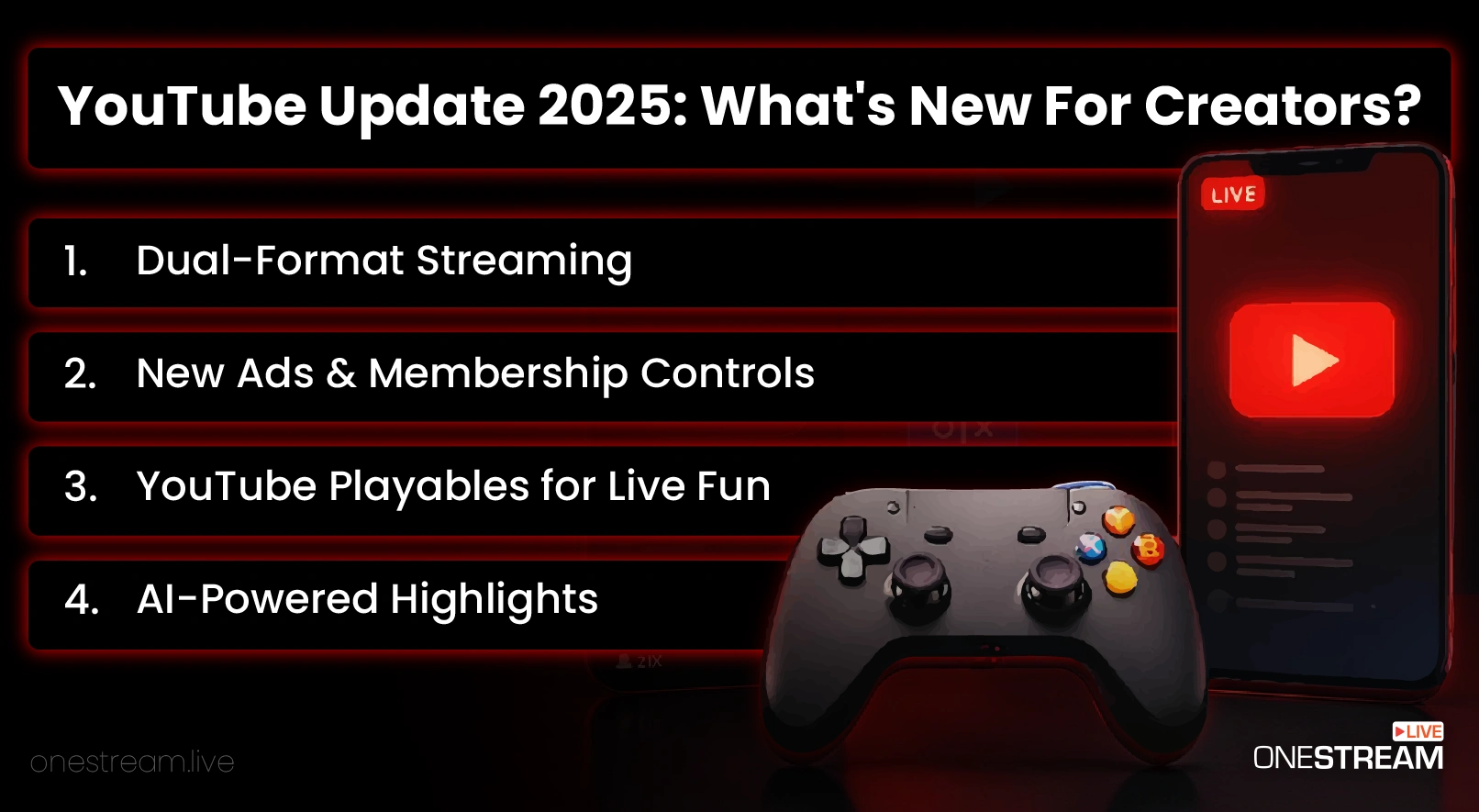
The update rolled out, focusing on both creators and the audience. From a content creator’s perspective, you need to plan your future content based on this update to get a high engagement rate.
Eager to know what’s important for you? Read on to uncover more.
1. Dual-Format Streaming
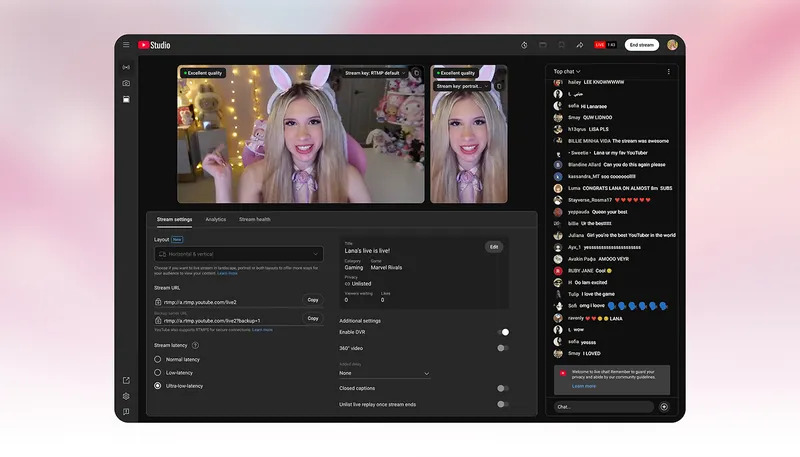
Being a streamer on YouTube, you want to engage everyone. We’re talking about mobile phone and desktop viewers. According to statistics, 63% of all the YouTube watch time comes from mobile devices. That’s a huge number you can’t ignore while going live on YouTube.
So what has changed in the new update? Let’s break it down.
Before the update:
You had to choose between a horizontal format for Desktop/TV or a vertical format for mobile when going live on YouTube. If you wanted both, you needed two separate streams. Sounds overwhelming, right? Well, not anymore.
After the Update:
Now YouTube does the job for you. Once you start a live session, it will be displayed in:
- Live horizontal format for people to watch on desktop, TV, or tablets.
- Live vertical format for people watching on phones (in portrait mode).
Simply put: As the name suggests, its dual-format streaming means one camera setup and one live session, but optimized for both screens.
2. YouTube Playables for Live Fun
YouTube isn’t only about viewing anymore, now it also has playables. Your favorite mini titles like Cut the Rope, Angry Birds Showdown, Tomb of the Mask, and many others are embedded now within YouTube’s experience. These playables are connected with the duel-format live, here’s how:
- Creators can stream these playable live in both vertical and horizontal formats.
- Your viewers can interact using chat, vote, or even play the same game themselves.
This influences your engagement time because viewers can now get involved with your stream, too. For example, you can stream a playable game and challenge your viewers to beat your score. With all this interactivity, you can increase watch time for your channel and also get more monetization opportunities.
3. AI-Powered Highlights
If you have been streaming for a long time, you definitely know the hassle of creating short clips out of hours-long streams. It takes a lot of time to find that funny moment in your vlog or a clutch in your gameplay video. Thanks to the new update, you now have AI-Powered highlights for your stream.
It automatically picks the best moments from your livestream and turns them into a shareable short video. For streamers, this is a big thing because YouTube Shorts has a high potential of helping you grow. According to YouTube’s CEO Neal Mohan, Shorts are averaging over 200 billion daily views. Therefore, by utilizing the AI-Powered highlights, you can attract a broader audience through shorts.
4. New Controls for Ads and Memberships
Ad Placement
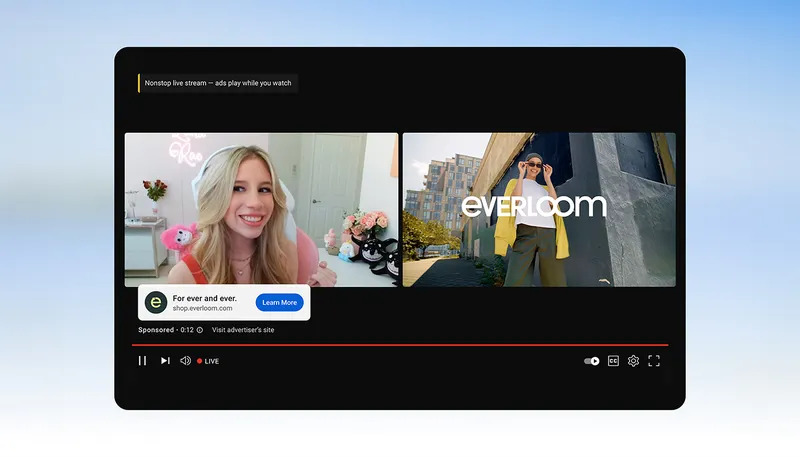
YouTube’s live streaming technology is transforming in every way you can think of. One of the most annoying factors for live viewers was an ad in the middle of the stream. Ads would appear right before an intense moment. But now YouTube has introduced side-by-side ads. The ads are now displayed next to your content instead of pausing the stream. This split-view approach by the platform drastically improves the retention rates for YouTube live streaming.
Memberships
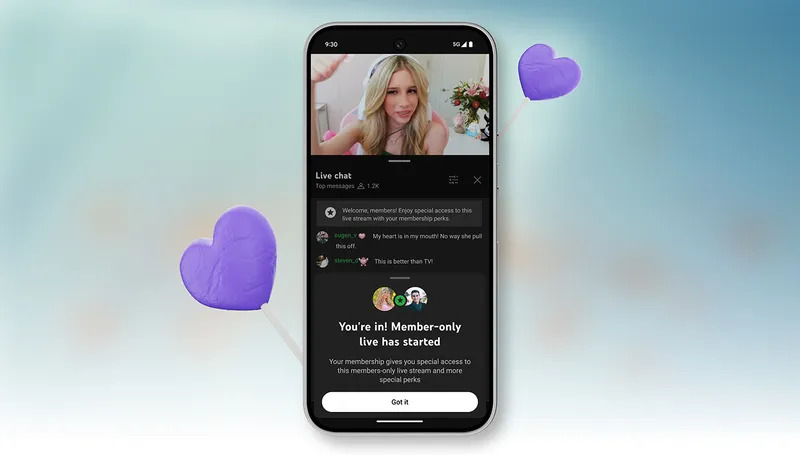
Streamers who offer channel memberships have something from the YouTube new features pack. Before, switching from public streams to members-only wasn’t possible without ending it. But now? Streamers can do this without stopping their stream. This means you can host Q&A sessions and bonus content for your paying supporters within one continuous stream.
How YouTube Streamers Should Use This Update?
Now you may be wondering how this update benefits you. It doesn’t provide one benefit but many. By acknowledging the major changes and learning about powerful features, you can make your future content comparatively more engaging. Here’s our take on how to get the most out of this update:
- Build Unified Community: Use the new dual stream YouTube feature to reach your audience at once. Don’t split your content across different devices when you have advanced live formats now. Let vertical streaming attract your mobile audience and horizontal format to keep your desktop and TV viewers immersed.
- Play Smart with Dual Games: Your viewers can stay engaged for longer periods if you interact with them. Before, the only way to interact was to chat, but now you can actually play with them. Add dual games in your live sessions to boost engagement and make your streams feel like a two-way experience.
- Win Against Competitors: Viewers prefer the best platform to watch their favorite content. Twitch is mostly known for long-form gaming videos, and TikTok dominates the mobile vertical content. YouTube now bridges both worlds, letting streamers stream horizontally and vertically with a touch of interactivity with minigames. By streaming on YouTube, you can attract an audience from other platforms which doesn’t support these features.
Tips for Your Future YouTube Live Streams After the Update
So after the new update, do you go live the same way? While it’s pretty much the same, there are still things you can keep in mind before starting your live session.
Here are some tips for your future YouTube streams:
1. System and Camera Setup
To make your dual stream on YouTube smooth and high-quality, ensure you meet the recommended streaming specs.
- A stable internet with at least 5 Mbps upload speed
- A modern webcam or DSLR
- Adequate Lighting
If you’re going live through your mobile phone, make sure to test it in both portrait and landscape modes to avoid any problems.
2. Test Vertical Streaming
Vertical streaming is the best choice when your focus subject stays centered or they have minimal space around it. You can use OneStream Live Studio, which comes with a built-in option for portrait live streaming with just a click.
Here are some things to double-check:
- How text overlays
- Reaction boxes
- Chat in portrait mode
Having all these perfected, your stream will maintain a clean and professional look.
3. Software Compatability
This is something you don’t want to miss. Whether you’re using Streamlabs or OBS, make sure your canvas ratio matches YouTube’s auto-format conversion, which is 16:9 for horizontal and 9:16 for vertical.
Want to go beyond YouTube? Try OneStream Live to multistream on other platforms like Facebook, TikTok, and Twitch. Through this, you can keep your other audience bases active while experimenting with YouTube’s new live format.
Final Words: Get the Most Out of YouTube New Update
This update made it clear that YouTube cares equally for live creators as it does for others. Being one of the top online video-sharing platforms, it provides you with countless possibilities to grow as a live creator.
It definitely gained a competitive edge over other platforms with the features and streaming technology it introduced. While YouTube itself is now a complete platform, how you go live still makes a big difference.
Choose OneStream Live, which is designed for professional streamers like yourself. Manage your streams workflow like never before, go live on multiple platforms at once, and preview your content before starting the session. Try OneStream Live today and stream smarter!
Frequently Asked Questions
What is YouTube’s new dual-format live streaming feature?
YouTube’s dual-format live streaming feature lets creators stream in both horizontal (16:9) and vertical (9:16) formats at the same time.
Can I switch between formats during a live stream?
No, the system automatically maintains both orientations so you can focus on content while YouTube handles layout delivery.
Does dual-format streaming affect video quality or bitrate?
YouTube optimizes both versions automatically, ensuring high-quality playback across all supported devices.
How can creators make the most of this update?
Plan your framing to look good in both orientations and use interactive elements like chat or polls that appear clean on every screen.
OneStream Live is a cloud-based live streaming solution to create, schedule, and multistream professional-looking live streams across 45+ social media platforms and the web simultaneously. For content-related queries and feedback, write to us at [email protected]. You’re also welcome to Write for Us!