Going live takes more than pressing a button. Streamers need to plan content, prepare visuals, interact with their audience, and keep the broadcast running smoothly. A clear content creation workflow helps you handle all of this without turning every stream into a big production.
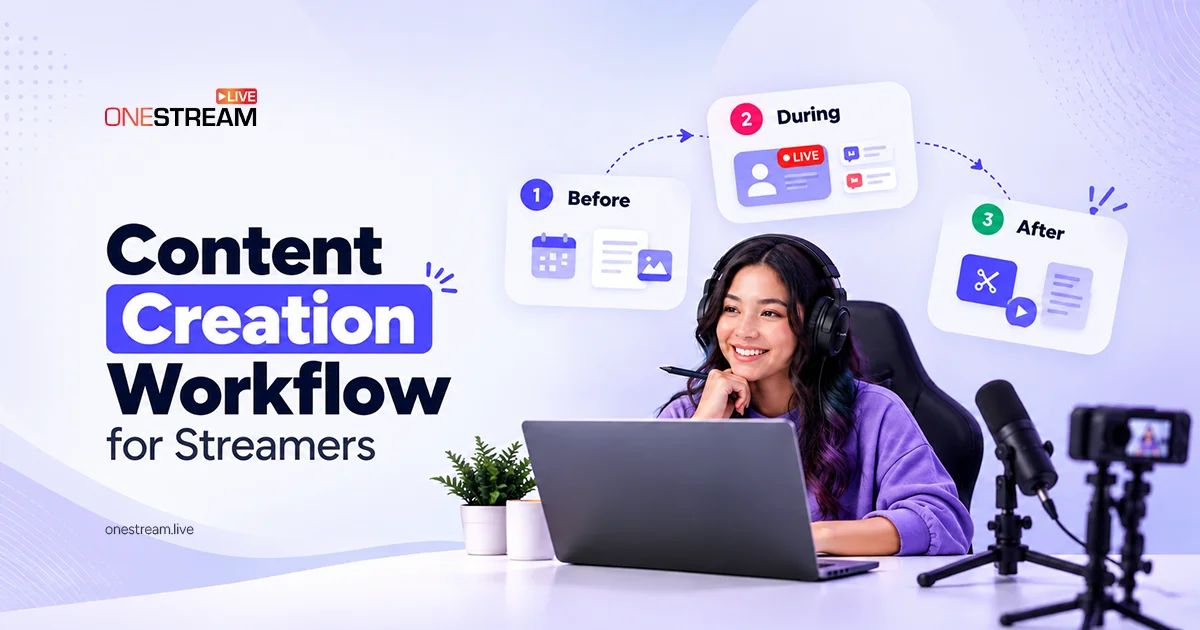
The process has three stages: before, during, and after the stream. Each stage has its own purpose. Together, they help creators prepare faster, stream better, and get more value from every recording.
Key Takeaways:
- A content creation workflow splits every stream into three stages (before, during, and after), so each broadcast is easier to plan and manage.
- Before going live, plan one clear topic, three to five talking points, and your thumbnail and graphics, then test your audio and video.
- During the stream, follow your plan but stay flexible, and answer chat during natural breaks to keep the pace steady.
- After the stream, turn your best moments into short clips and recap posts to reach viewers who missed the broadcast.
- Review your process and analytics across several streams, not just one, to keep improving your workflow.

What Is a Content Creation Workflow for Streamers?
A content creation workflow is a repeatable process for planning, creating, and sharing content. For streamers, it covers everything from choosing a topic to captioning highlight clips.
A basic workflow may consist of a content calendar, a preparation checklist, and a folder for graphics and recordings. It does not require sophisticated equipment. The objective is to simplify the planning and management of every stream.
Before You Go Live: Plan Your Content Creation Workflow
Planning helps you stay punctual and organized. It also reduces last-minute decisions that may cause you to lose focus on your audience.
Plan the Stream and Talking Points
Select one clear subject and decide what viewers should know after watching. List three to five talking points, and organize them in a logical sequence. This gives the stream flow and direction but still leaves space for questions and free-flowing dialogue.
Pro Tips
Write a Clear Title and Description
Use a title describing the activity or challenge of the stream. For example, “Can I Finish This Game Without Taking Damage?” gives viewers a clear reason to watch. Include a brief description of the topic, activities, and links to any useful resources.
Create Thumbnails and Promotional Graphics
Prior to the broadcast, prepare a thumbnail, starting-soon screen, and promotional graphics. Keep text and fonts simple, and have the primary subject easy to identify. Creators can use HIX AI to create and edit visual assets in their streams via its AI-supported creative features.
Test Your Equipment and Setup
Before going live, check your microphone, camera, lights, internet connection, and broadcast settings. Ensure that the audience can hear your voice clearly. A brief test recording can help you catch sound issues or distracting background noise. For a complete list, use our checklist for professional live streaming.
During the Stream: Follow Your Content Creation Workflow
When the broadcast is on, concentrate on your delivery and communication with your audience. The session doesn’t need a script, but it should be guided by your plan.
Start With a Clear Introduction
Welcome viewers and tell them what the stream will be about. Discuss the primary objective and mention any significant events of the session. Even a brief introduction helps new viewers know what to expect.
Engage With Your Audience
Read chat messages, respond to interesting questions, and invite viewers to express their opinions. But do not allow every remark to interfere with the main activity. Respond to chat during natural breaks to keep the stream active and easy to follow.
Pro Tips
Maintain a Steady Pace
Use your talking points to keep the broadcast flowing. When one of the segments runs slower than anticipated, adjust the plan. Mention technical delays briefly and get back to the task at hand as soon as possible.
Example: A creator hosting a weekly indie-game challenge could plan several milestones before going live. During the stream, they describe every attempt, respond to audience suggestions, and add notes on amusing or unexpected moments. These notes also help them find good highlights later.
After the Stream: Extend Your Content Creation Workflow
Your broadcast can act as a seed for further content. Watch the recording and pick the moments that offer valuable insights, humor, or strong reactions. Learn how to turn one live stream into 10 content assets.
Turn Highlights Into Short Clips
Select moments that make sense without the full stream. Eliminate long pauses and add captions to improve comprehension. Check the audio, framing, and context, then publish each clip.
Create Recap Posts and Graphics
Recap the highlights of the stream in a short post. Ask viewers a question, or convert a useful tip into a graphic. This helps people who missed the broadcast learn about your content and gives regular viewers another way to interact.
Read More: Creative Ways to Repurpose Live Video Into Viral Content
How to Improve Your Content Creation Workflow
A good content creation workflow should improve with every broadcast. After each stream, review what worked and what caused delays. Small changes can make the next session easier to manage.
Review Your Preparation Process
Check whether you organized the title, graphics, and talking points ahead of time. If one task keeps causing problems and wasting time, create a checklist or template for it. This saves you from solving the same problem before each stream.
Use AI to Support Content Planning
AI tools can help you brainstorm topics, create talking points, write descriptions, and generate captions. Write the material as a draft, then proofread it to verify accuracy, originality, and tone before publishing.
Track What Your Audience Enjoys
Look at your channel analytics and find out which streams and clips get people to watch or engage. Don’t judge your whole strategy on one post; compare results across several broadcasts. Apply these lessons to plan new streams and make better content.
Conclusion
An efficient content creation workflow helps streamers prepare with confidence, run smoother live shows, and make the most of every recording. Begin with a plan in mind, involve viewers in a natural manner, and choose helpful moments at the end of each session.
You do not need a complicated system. Regular review and a basic checklist can help you stay consistent. In the long term, this habit can help you cut unnecessary work and dedicate more time to your audience.
Frequently Asked Questions
What is a content creation workflow for streamers?
It is a repeatable process for planning, running, and repurposing your live streams. It breaks the work into three stages: before, during, and after you go live.
Why do streamers need a content creation workflow?
A workflow saves time, reduces last-minute stress, and keeps your content consistent. It also helps you get more value from each stream through clips and recap posts.
How far in advance should I plan a live stream?
Plan the topic, title, and graphics at least a few days before you go live. For pre-recorded streams, OneStream Live lets you schedule up to 60 days in advance.
What should I check before going live?
Check your microphone, camera, lighting, internet connection, and broadcast settings. A short test recording or test stream helps you catch problems before viewers do.
Can I use AI in my content creation workflow?
Yes. AI tools can help with topic ideas, talking points, descriptions, and captions. Always review AI drafts for accuracy, originality, and tone before publishing.
OneStream Live is a cloud-based live streaming solution to create, schedule, and multistream professional-looking live streams across 45+ social media platforms and the web simultaneously. For content-related queries and feedback, write to us at [email protected]. If you have a story to share about your live streaming experience with OneStream Live, we would be glad to feature it. You're also welcome to Write for Us!